
 Connexion
Export & Import Conditional Access policies and configuration using Graph API
Conditional access is the tool to enforce organizational policies. Access to resource is granted using if-then statements. You can for example enforce multi-factor authentication from untrusted networks or block legacy authentication.
Conditional access requires an Azure AD Premium Plan 1 license which is included in most bundles or can be purchased as an add-on. Note that you need to license all users benefitting from these conditional access policies. This includes service accounts where you may want to use conditional access to limit access from specific IP’s.
I’ve created the below baseline policies which I use at my developer tenant to restrict certain access. This post will export the configuration and the commands to import it back to the tenant.
Baseline Conditional Access policies
-
- Require multi-factor authentication for users with administrative roles
- Selected directory roles but excluded a group which has my break the glass accounts
- All cloud apps
- Require multi-factor authentication
- Never persistent browser session
- Require multi-factor authentication for all users
- Selected all users but excluded a group which has my break the glass accounts
- All cloud apps except Microsoft Intune Enrolment
- Require multi-factor authentication
- Require multi-factor authentication for guest accounts
- Selected all guests and external users
- All cloud apps
- Blocking sign-ins for users attempting to use legacy authentication protocols
- All users
- All cloud apps
- Client app condition to block Exchange ActiveSync clients and other clients
- Block access
- Requiring trusted locations for Azure AD Multi-Factor Authentication registration
- All users except guests and externals and the break the glass accounts group
- Register security information
- All locations except trusted locations
- Block access
- Require multi-factor authentication for users with administrative roles
Graph API
I will be using the Graph API for exporting and importing Conditional Access Policies and named locations
Permissions
We will be reading and writing so we need to add application permissions to call the API’s in Azure Active Directory.
Add “Policy.Read.All, Policy.ReadWrite.ConditionalAccess, Agreement.Read.All, Directory.Read.All and Application.Read.All”

Note the following information as we will need it for the script
- Client ID
- Client Secret
- Tenant ID
- Output location
Export Conditional Access policies
The script has been uploaded to O365ExportImport/ExportAndImport/ConditionalAccessPolicies at main · CloudSecuritea/O365ExportImport (github.com) where it can be downloaded, changed and used. Run the following command to start the export:
export-condtionalAccess.ps1 and provide the script with the required parameters
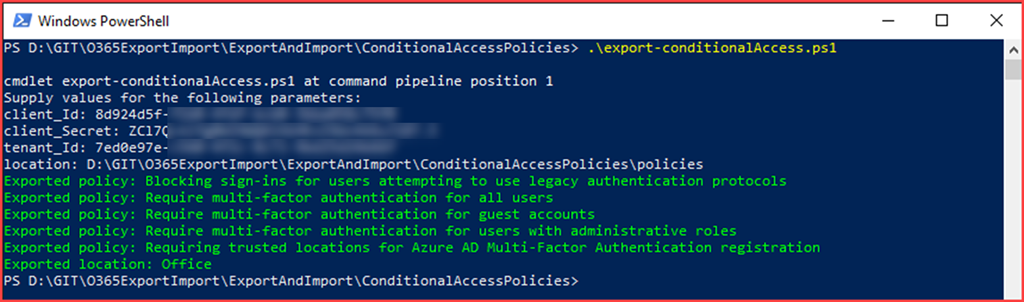
The files will be created in the specified location

Import Conditional Access policies
We have just exported the conditional access policies and named locations. The JSON files will now be used to import this configuration. Note that running the script will create new policies and you will need to delete old policies if present.
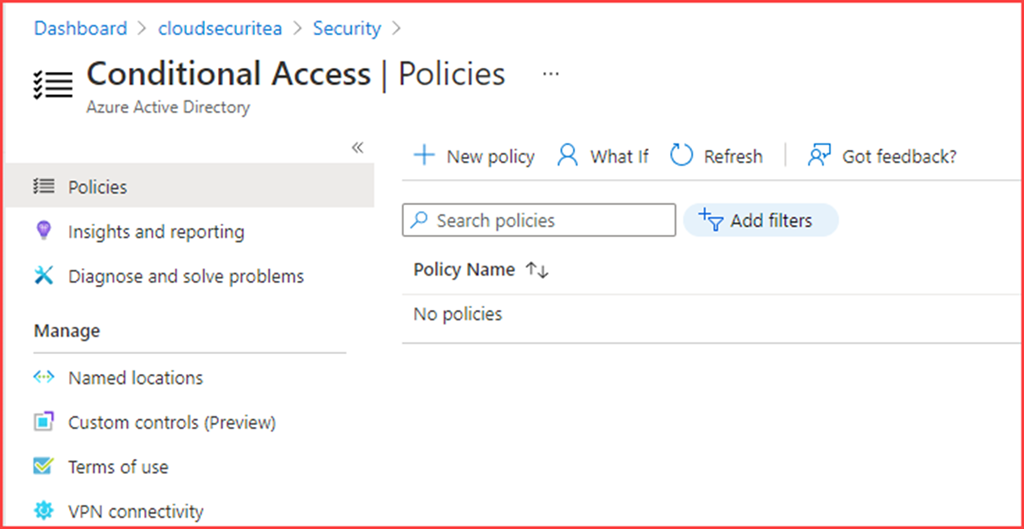
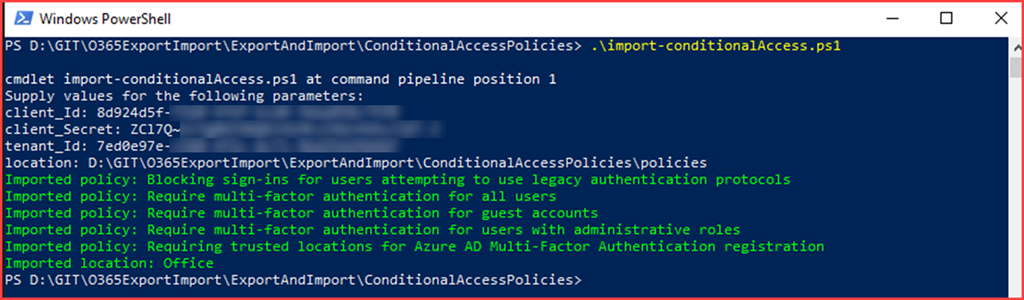
The script has been uploaded to O365ExportImport/ExportAndImport/ConditionalAccessPolicies at main · CloudSecuritea/O365ExportImport (github.com) where it can be downloaded, changed and used. Run the following command to start the import:
import-condtionalAccess.ps1 and provide the script with the required parameters

The post Export & Import Conditional Access policies and configuration using Graph API appeared first on Cloud Security | Office 365 | Azure | SharePoint.
