It’s an exciting time in technology, not just for our industry but for the world. The Windows PC has never been more relevant in our daily lives, and this is increasingly the case as we approach the next wave of computing led by the mass adoption of AI. Today’s major update to Windows 11, that I am pumped to introduce, meets this new age of AI and reinvents and improves the way people get things done on their PCs.
Launched just over a year ago, Windows 11 gave the PC a modern refresh and all new experiences that enable each of us to connect, participate, and be seen and heard. Since the launch, Windows 11 users continue to be more engaged than Windows 10 users and our US consumer customer satisfaction is higher than any version of Windows ever.
In the last three weeks,
we also launched the new AI-powered Bing into preview for more than 1 million people in 169 countries, and
expanded the new Bing to the Bing and Edge mobile apps as well as introduced it into Skype. It is a new era in Search, Chat and Creation and with the new Bing and Edge you now have your own copilot for the web.
https://www.youtube.com/watch?v=jm3Y_UA2qUo
Today, we take the next major step forward adding to the incredible breadth and ease of use of the Windows PC by implementing a typable Windows search box and the amazing capability of the new AI-powered Bing directly into the taskbar. Putting all your search needs for Windows in one easy to find location.

The search box is one of the most widely used features on Windows, with over half a billion users every month, and now with the typable Windows search box and the new AI-powered Bing front and center to this experience you will be empowered to find the answers you’re looking for, faster than ever before.
We’ve been inspired by people’s stories of how they are using the new Bing. For example, a first-generation grad student from a developing country shared how the new Bing gives him access to information and resources that were previously inaccessible and difficult to find. Stories like these energize and inspire us. With the new Bing in the Windows taskbar, you will be more empowered to harness the world’s information.
For me personally, this technology is having incredible impact on how my kids, and I communicate with my dad, their grandfather, in Greek. It’s important for us to stay connected to where we’re from, including speaking the language, and with the new Bing chat experience we can learn and practice writing and speaking in Greek with my dad. It’s inspiring and changing the way we communicate and connect in ways we never imagined.
Soon hundreds of millions of Windows 11 users can get access to this incredible new technology to search, chat, answer questions and generate content from right on their Windows taskbar.
If you’re in the Bing preview, all you’ll need to do is install today’s Windows 11 update to access the new search box. To join the new Bing preview
sign up on the waitlist.
We can’t wait to see how the new Bing in Windows inspires you.
Additional new Windows 11 features in the update, designed to make your everyday easier
We're also excited to introduce a host of new features from across the team that will make your everyday easier on Windows 11. For example, you will be able to link your iPhone® mobile device directly to your Windows 11 PC using a new preview of Phone Link for iOS. Additionally, you'll notice improved touch experiences, full screen widgets, and quick access to the Windows 365 app. Windows 11 also includes new AI features in Start, as well as ongoing updates to make the operating system more accessible and sustainable and delivering on our continued commitment to quality and ease of use across the system and applications. We look forward to hearing your feedback on these new updates.
Introducing Phone Link for iOS in preview

Today, we share the next step on our journey to remove barriers for those of you who have iPhones with the introduction of Phone Link for iOS. With Phone Link for iOS you’ll never have to worry about missing that important call or text while you are concentrating on your Windows 11 PC.
This builds on our continued efforts to bring you closer to what’s more important, like
easier access to the photos on your iPhone with iCloud integration in the Photos app. Launching first as a preview to Windows Insiders, you can learn more about getting started with the preview of Phone Link for iOS by
visiting the Windows Insider Blog.
Android® phone users get an even richer experience
Phone Link capabilities have been available to Android users for quite some time and we’re happy to share that we’re making the connection even stronger between an Android device and a Windows PC. With hundreds of thousands of reviews in the Microsoft Store, we are energized to hear that people are enjoying having instant access to everything they love on their phone on their Windows PC.
For those of you with a Samsung phone, we’ve made it easier to activate your phone’s personal hotspot with a single click from within the Wi-Fi network list on your PC. And with the Recent Websites feature, Samsung users can also now easily transfer their browser sessions from their smartphone to their Windows PC, allowing them to continue browsing effortlessly—a great way to stay in your flow.
Broadcast your best self, right when you need to with advanced AI

Whether you are taking a conference call in a busy lobby, giving the pitch of your life to an investor halfway around the world, or meeting your newest family member, we all can relate to wanting to look and sound our best so we can connect in the most meaningful way possible.
Last year we launched Windows Studio Effects1. Enabled by advanced AI, this collection of audio and video effects enables you to customize your audio and video for any situation you are in.
Effects like eye contact, background blur, automatic framing and voice focus, available to use with your built-in camera and mic, enhance your video calling experience. With this update, we are making it even easier to find and adjust your Windows Studio Effects settings directly from the taskbar in quick settings. Now you can instantly adjust background blur, eye contact and automatic framing, and apply them to your favorite communications applications, with seamless integration into Microsoft Teams. Our partners are continuing to deliver exciting new devices that light up these features, like the previously announced Samsung Galaxy Book Pro 2 360 and the Lenovo ThinkPad X13s.
Check out other new device announcements that our partners including Acer, ASUS, Dell, HP, Lenovo and our gaming partners made at CES.
Connect in more ways with a simple click
 When we launched Windows 11
, we included integration with Microsoft Teams through the Chat feature available from your desktop on the taskbar, making it easier for you to make the connections you seek. With this update, the Chat signature experience has been fully revamped to make it easier to preview your video and jump straight into a call or share a call link through any app with those you care about most. You can also get faster, easier access to all of your conversations, with the ability to navigate between conversations in Chat—all in one window.
Providing help is easier than ever with the redesigned Quick Assist app

Are you on the receiving end of the technical assistance call—from your brother whose computer “just stopped working,” your neighbor who can’t login to an important app, or your parent who just can’t find that thing they saved yesterday? For those of you who provide technical assistance to family and friends, we know how challenging it can be to help.
You can open Quick Assist right from the Start menu and get connected more quickly than before, and even take advantage of the new capability to switch between screen sharing and full control during a session to give or get help the way you want. And you’ll love this, there’s a new laser pointer you can use to highlight an icon, menu, or anything else on screen so that you can help guide people through the learning process.
More of the news and information you care about is just a swipe away

Sometimes you just want to quickly see the latest headlines, get the score of the big game, check your stocks, the weather, or even your schedule—but you don’t want to have to juggle multiple devices. With Widgets, you don’t have to; news and information you want is within reach and without disruption.
We are excited to introduce the expansion of Widgets to include Phone Link, Xbox Game Pass, and partners like Meta and Spotify, so it has never been easier to stay up to date on the things that matter. By simply clicking the weather icon in your taskbar or swiping from the left, Widgets delivers important information at a glance. With the launch of new Widgets, we are creating a better experience for you, and new ways for developers to reach Windows customers.
Get more information on developer tools to get started.
Enhancing your touch experience

Sometimes we need a break from our desks and want to use our PCs in a more casual setting like sitting back and relaxing on the couch to watch a movie. In times like those, when your keyboard and mouse get left behind, you want to maximize your screen experience and make it more responsive to your touch.
Windows customers love the easy way they can quickly and intuitively navigate their Windows touchscreen devices without a mouse and keyboard. Recent enhancements like touch controls for Snap to get your windows perfectly arranged with just a touch, and new touch gestures that allow you to easily open and close Start, Widgets and quick settings, have made getting things done on
touch devices effortless. Now, you can maximize screen real estate and flexibility when using your device without a keyboard with the collapsed taskbar. When you detach your screen, the taskbar instantly slides away. Need to open another app or check your Widgets pane? Simply swipe up to expand it for easy navigation.
Screen recording in Snipping Tool

A picture might paint a thousand words, but a video can tell a story. For all the teachers, creators, students, marketers…you get the
picture video. Easily capture what you are doing with a new built-in screen recorder in Snipping Tool.
We’re continuing to expand the capabilities of this fan-favorite app, so now you can easily capture, save and share your Snipping Tool creations – all right in the app. To use the screen recorder functionality, you can search and launch Snipping Tool through Search on the taskbar and select record. Your screen captures are now automatically saved to a default folder, so you won’t have to worry about losing them. Want to snip something quickly? Here’s a keyboard shortcut: Windows key + Shift key + S.
Tabs make navigating Notepad easier than ever

For developers out there who love a quick way to capture lines of code for easy reuse, Windows 11’s Notepad app is here for you.
We are enhancing Notepad, bringing tabs to the app experience. Notepad tabs will provide a quick and easy way to keep your data organized and enable you to switch between notes so you can create ready-to-compile code without formatting issues. Simply open the Notepad app and click the + icon to create a new tab.
New accessibility features include Braille display support and enhanced voice access in key apps
We believe the world is a better place when everyone can participate, so we are continuing to make Windows 11 the most accessible version of Windows yet. We’re pleased to deliver enhancements to Narrator that extend support for more Braille displays, which includes three new
Designed for Surface displays from HumanWare. Now switching between Narrator and other screen readers while using your Braille display is a seamless experience. This crucial functionality means Narrator can effortlessly interact with accessible accessories, ensuring people who are blind are able to use Windows with ease.

We’re also bringing voice access functionality out of preview and delivering a more flexible and enhanced solution when using voice on Windows 11. You can use voice access with your favorite Microsoft apps across Windows 11, from working on a Word document to managing files in File Explorer. Whether you’re connecting, collaborating or creating, you can easily use your Windows device to do more, with or without a keyboard and mouse.
Here’s a full list of voice commands.
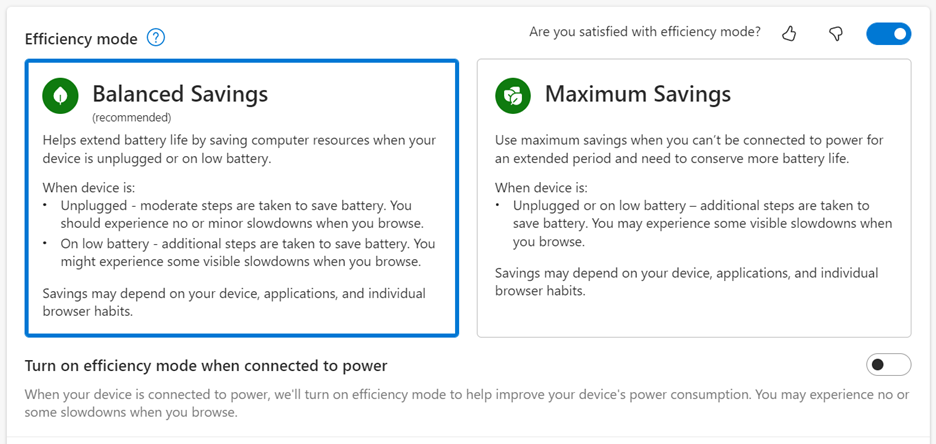
New energy recommendations make it easier for you to control your environmental impact

Windows wants to empower people to more easily take action to reduce their carbon footprint on our
journey to invest in sustainable technology. With new toggles and recommendations directly in your system settings, you can more easily understand your choices and take action to adjust your settings so you can make the best choice for your personal PC usage and for the environment.
Harness the power of AI to find the files you need recommended in your Start menu

For those of you who use Windows in a business setting, we are helping you get to what you need more quickly and easily—whether that be a file you need in an instant, or your cloud PC so you can work the way you want.
Available on Windows 11 Pro devices and higher that are Azure Active Directory (AAD) joined, we are personalizing your experience by delivering AI-powered recommended content within your Start menu. Simply click to open the Start menu and find related content to help you prepare for upcoming meetings, quickly access files you're collaborating on, and more.
You’ll also find even more to love in File Explorer—from our fastest ever file search to recommended local and cloud files, right where you need them.
Access your Cloud PC with the new Windows 365 app

For quick access to your Cloud PC, we have made the Windows 365 app generally available in the Microsoft Store. With the Windows 365 app, you can go from your desktop straight to your Cloud PC, which provides you with a personalized experience tailored to your settings, profile and work style. It also reduces friction for IT administrators who can enable employees with a single sign-on experience. You can download it now at
https://aka.ms/Windows365app.
How to take advantage of all these new features
Windows is delighted to deliver on our
promise to bring exciting new experiences to Windows 11 more frequently in our continuing commitment to innovate in ways that matter to you. With this update, we are bringing the power of the new AI-powered Bing and additional new features to make staying connected—whether it be to the people or information you care about—easier, for everyone. These new experiences will start to become available today,
via Windows Update and new apps available via Microsoft Store updates
2. Users with eligible devices running Windows 11, version 22H2 who are interested in experiencing these new features now, can choose to do so by opening Windows Update settings (Settings > Windows Update) and selecting Check for updates
3. We anticipate full availability of the new features delivered via Windows Update in the March 2023 monthly security update release (
find more information for commercial customers).
We’re pumped about this update and believe there’s never been a better time to experience the magic of the Windows PC than right now;
learn more here.
1 Hardware dependent.
2Click ‘Get updates’ in Microsoft Store > Library – and search your favorite titles or explore our new curated collection of mobile apps and games.
3Device reboot required to enable new features. New feature availability may vary by market.
iPhone is a trademark of Apple Inc.
Android is a trademark of Google LLC.
Editor’s note – March 3, 2023 – Text above has been edited for additional clarity on functionality of the snipping tool shortcut.
___________________________________________________________________________

 Connexion
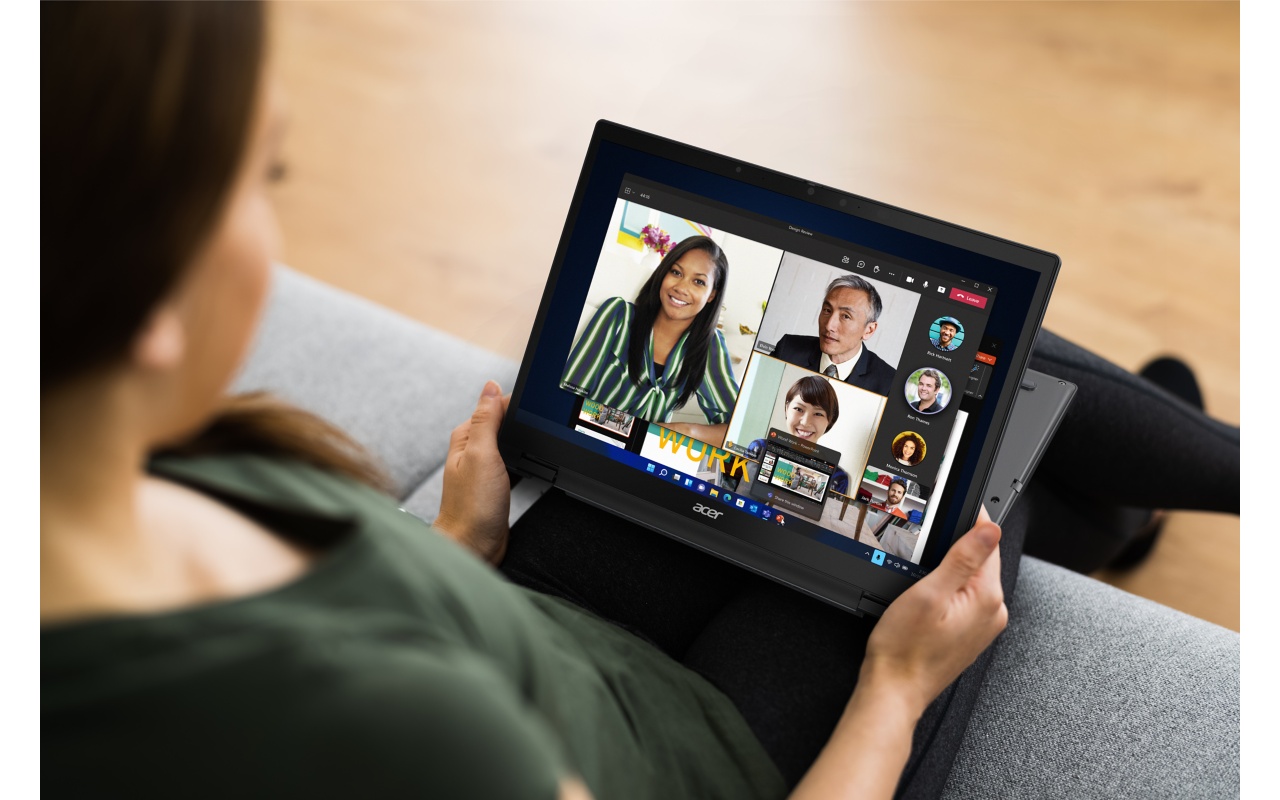 Available in both Intel and AMD models, the Acer TravelMate Spin P4 is an ultralight Microsoft Secured-core PC made from recycled materials to reduce harm to the earth. It’s EPEAT Gold compliant and TCO 9 certified; using up to 34.5% post-consumer recycled plastic and 100% recycled packaging materials.
 The sleek, minimalist and precision-machined chassis of the ASUS Expertbook B9 delivers on both portability and toughness. This a carbon-neutral business laptop that surpasses ENERGY STAR standards, adopting post-industrial recycled metal and FSC Mix-certified paper to reduce carbon footprint and offset residual emission with nature-based carbon credits.
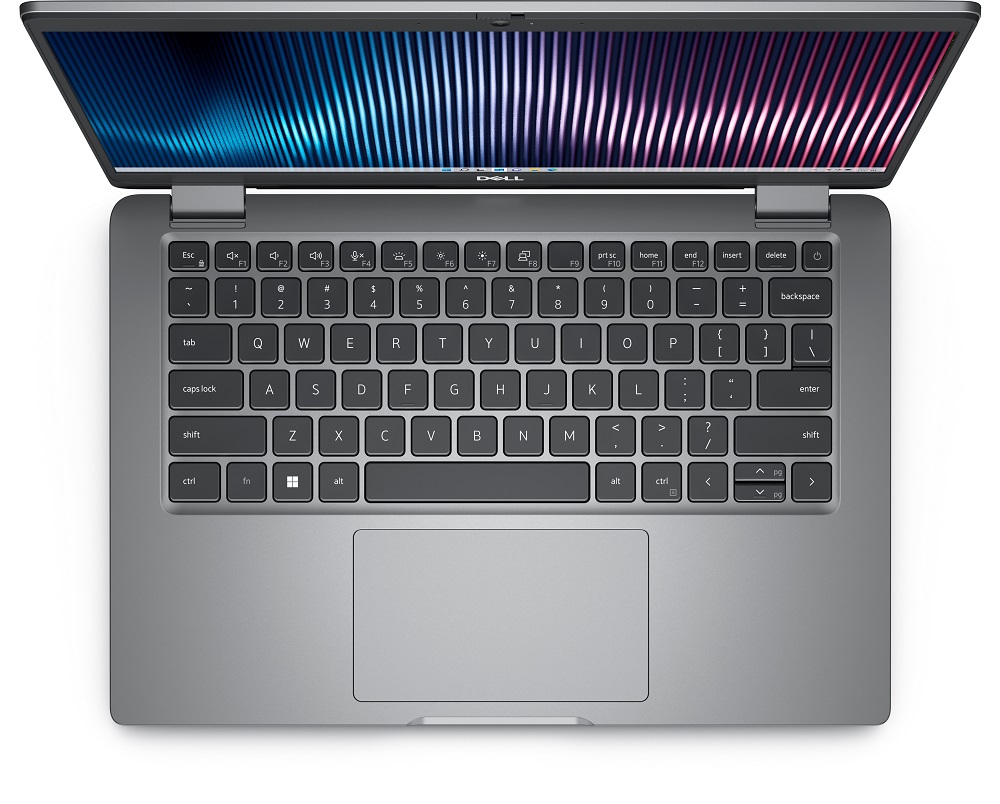 The EPEAT Gold registered Latitude 5000 series, available in 13-inch, 14-inch and 15-inch options, is Dell’s most sustainable Latitude program yet – shipping with 100% recycled and renewable packaging and designed with an innovative use of renewable materials, reclaimed carbon fiber and ocean-bound and recycled plastics.
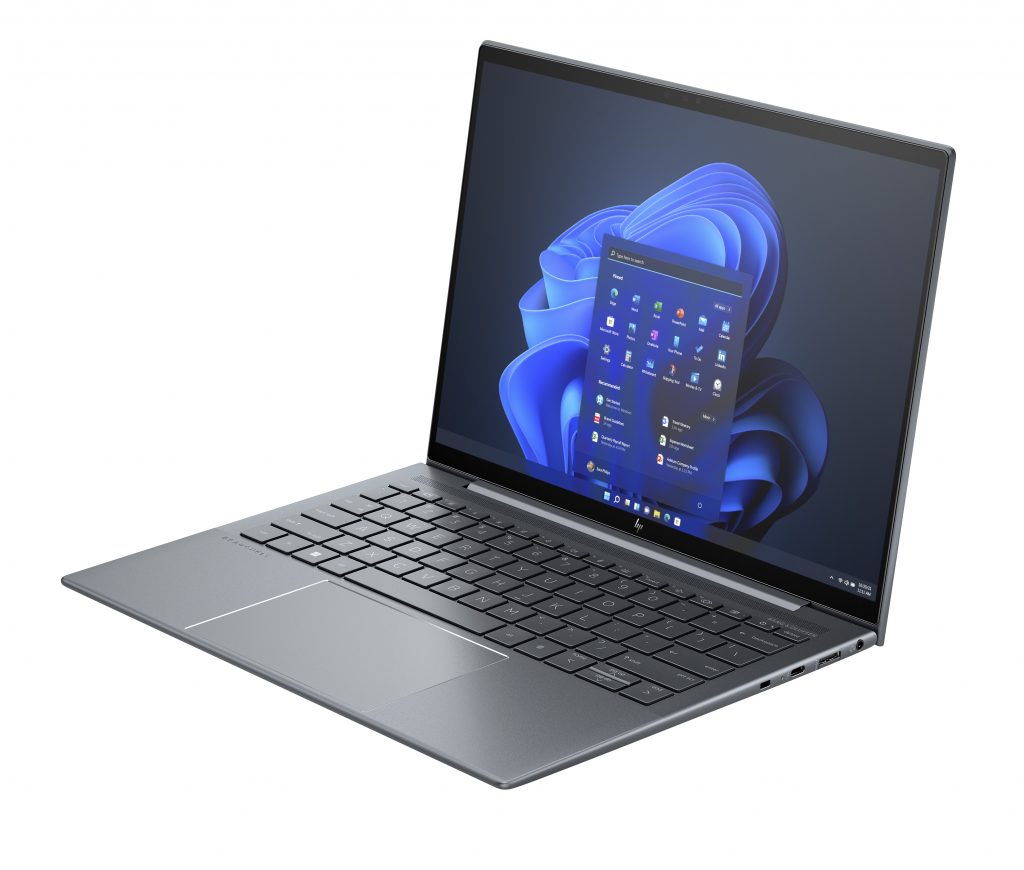 With an enclosure that includes 90% recycled magnesium and packaging that’s 100% sustainably sourced, the HP Dragonfly G4 is an ultralight PC with new intuitive video conferencing innovations aimed at recharging hybrid work. To conserve battery life, Intelligent Hibernate learns how you’re using the PC so it goes to sleep when idle and wakes back up quickly for an instant-on experience to help you get going faster.
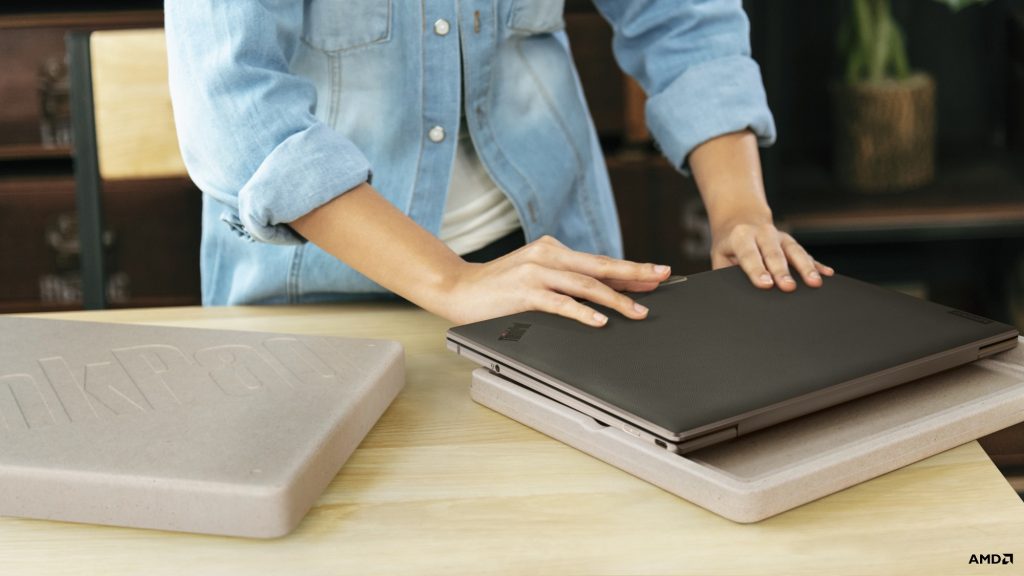 The Lenovo ThinkPad Z 13 features sustainable materials, such as 75% recycled aluminum and black vegan leather made from 95% recycled plastic (polyethylene terephthalate). Sustainability extends to the packaging, made from 100% recyclable and compostable bamboo and sugarcane. Even the AC power adapter was designed with intent, as it uses 90% Post-Consumer Content (PCC).
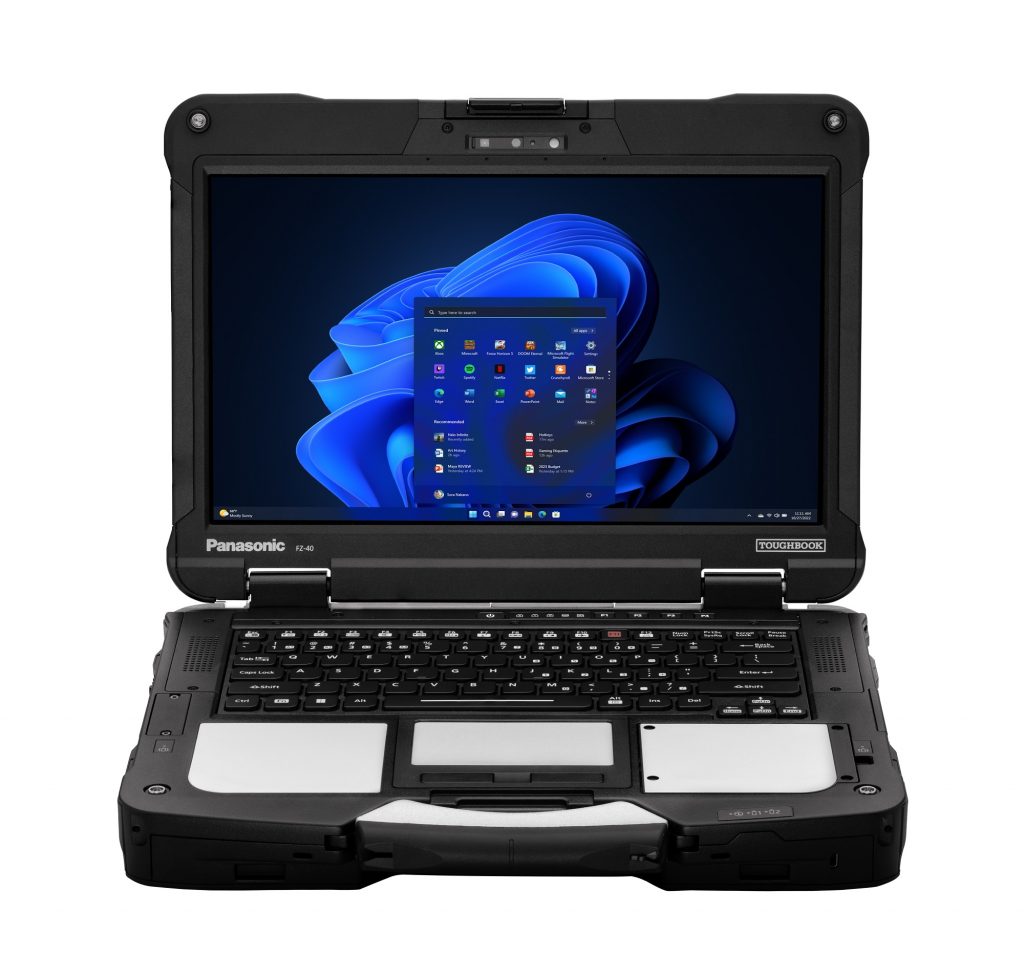 The rugged Panasonic TOUGHBOOK 40 is designed with both sustainability and durability in mind. With components that allow users to repair the PCs themselves and a long battery life that helps minimize the number of lifetime charges, this device enables eco-friendly usage.
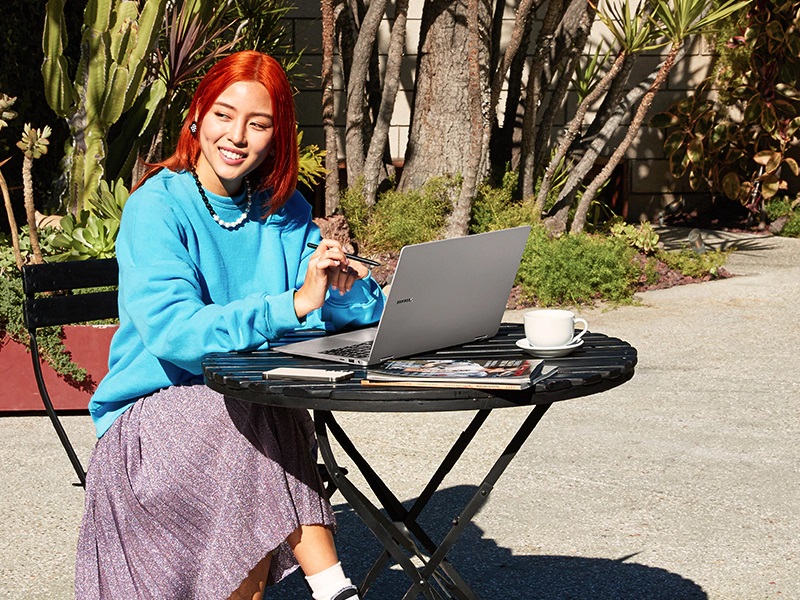 The recently announced Galaxy Book3 Pro 360 is a TCO certified 2-in-1 laptop designed in alignment to Samsung’s sustainability goals of repairability, use of recycled plastics and including circuits designed to reduce electricity loss of devices with OLED panels.
Learn more about how Microsoft and its PC partners are working together to make real, sustainable changes by thinking outside the box as they protect the planet.
* When devices are plugged in, turned on, connected to the Internet and where regional carbon intensity data is available from WattTime.
The recently announced Galaxy Book3 Pro 360 is a TCO certified 2-in-1 laptop designed in alignment to Samsung’s sustainability goals of repairability, use of recycled plastics and including circuits designed to reduce electricity loss of devices with OLED panels.
Learn more about how Microsoft and its PC partners are working together to make real, sustainable changes by thinking outside the box as they protect the planet.
* When devices are plugged in, turned on, connected to the Internet and where regional carbon intensity data is available from WattTime. 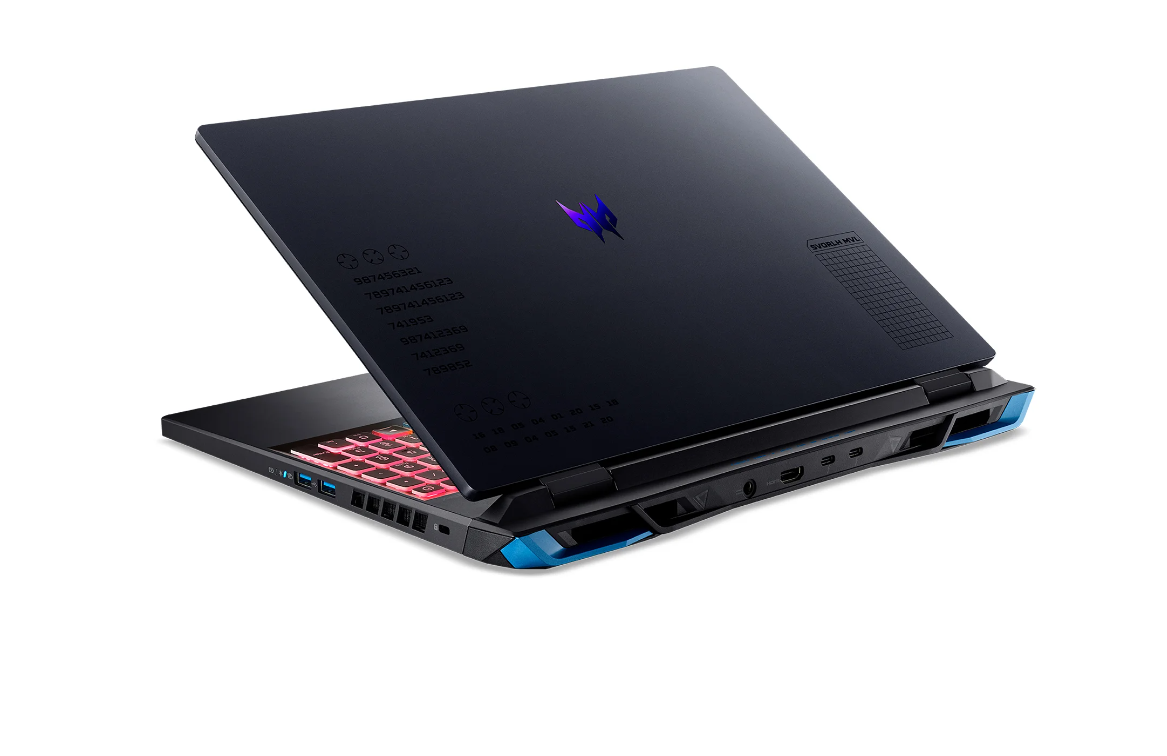 Predator Helios Neo 16: Top-line capabilities with mid-range price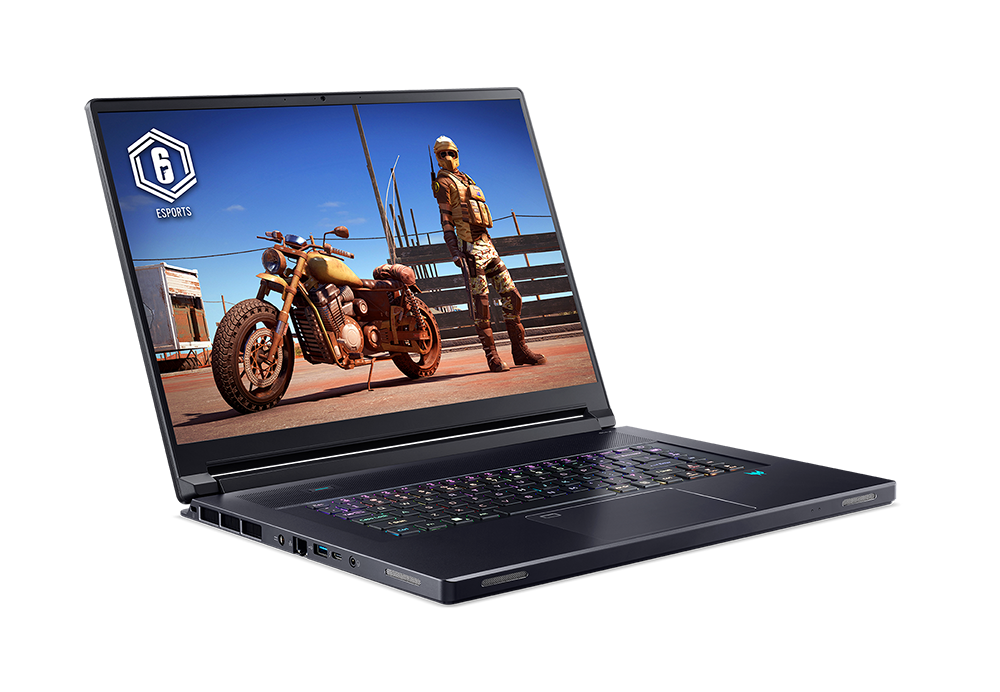
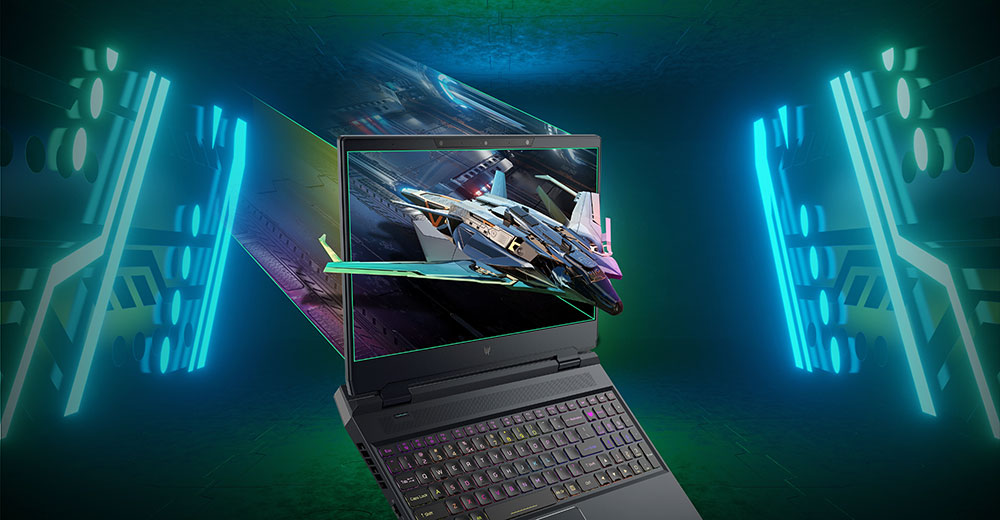 Predator Helios 3D 15 SpatialLabs Edition: Now more powerful than ever
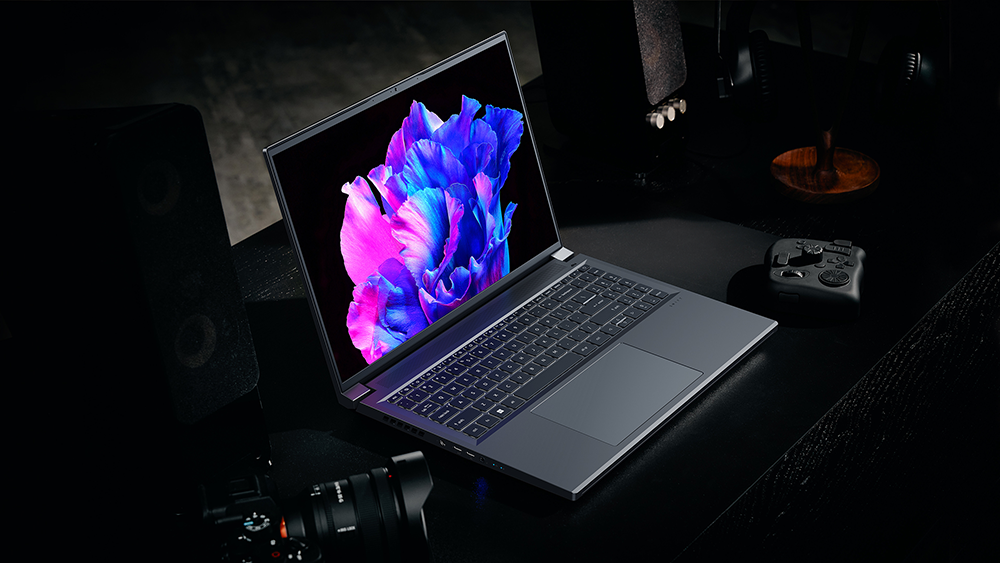 Acer Swift X 16 laptop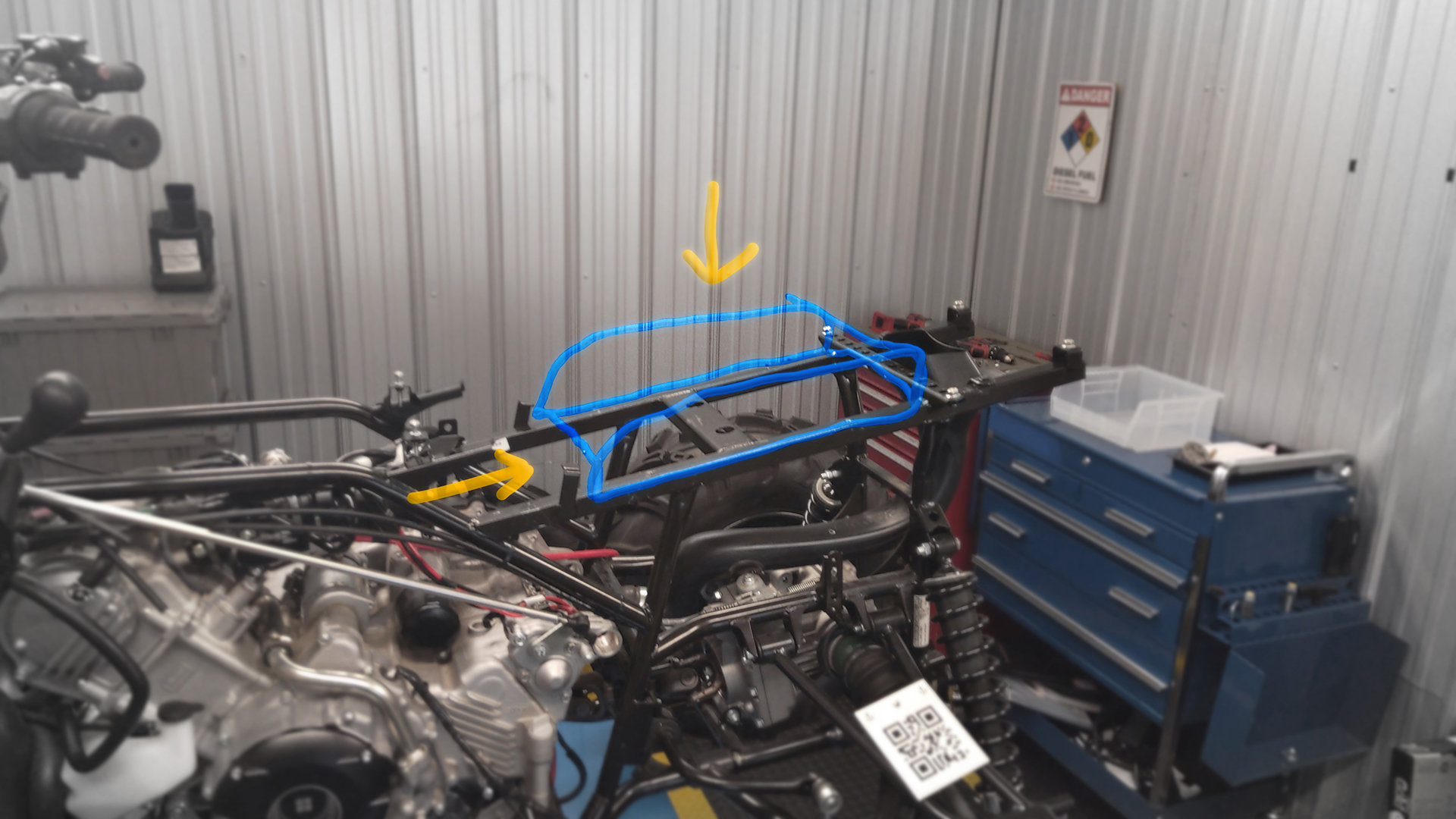
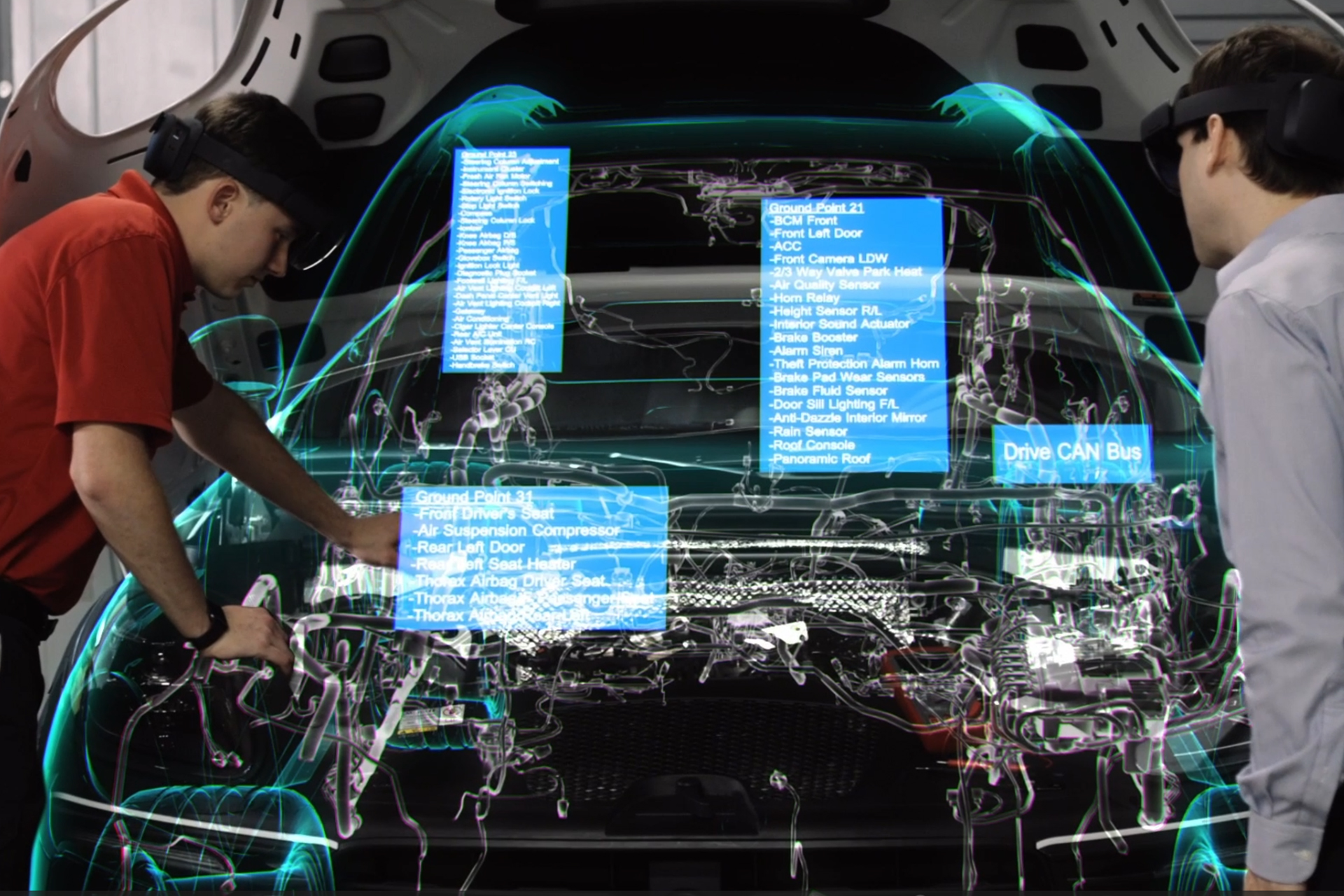
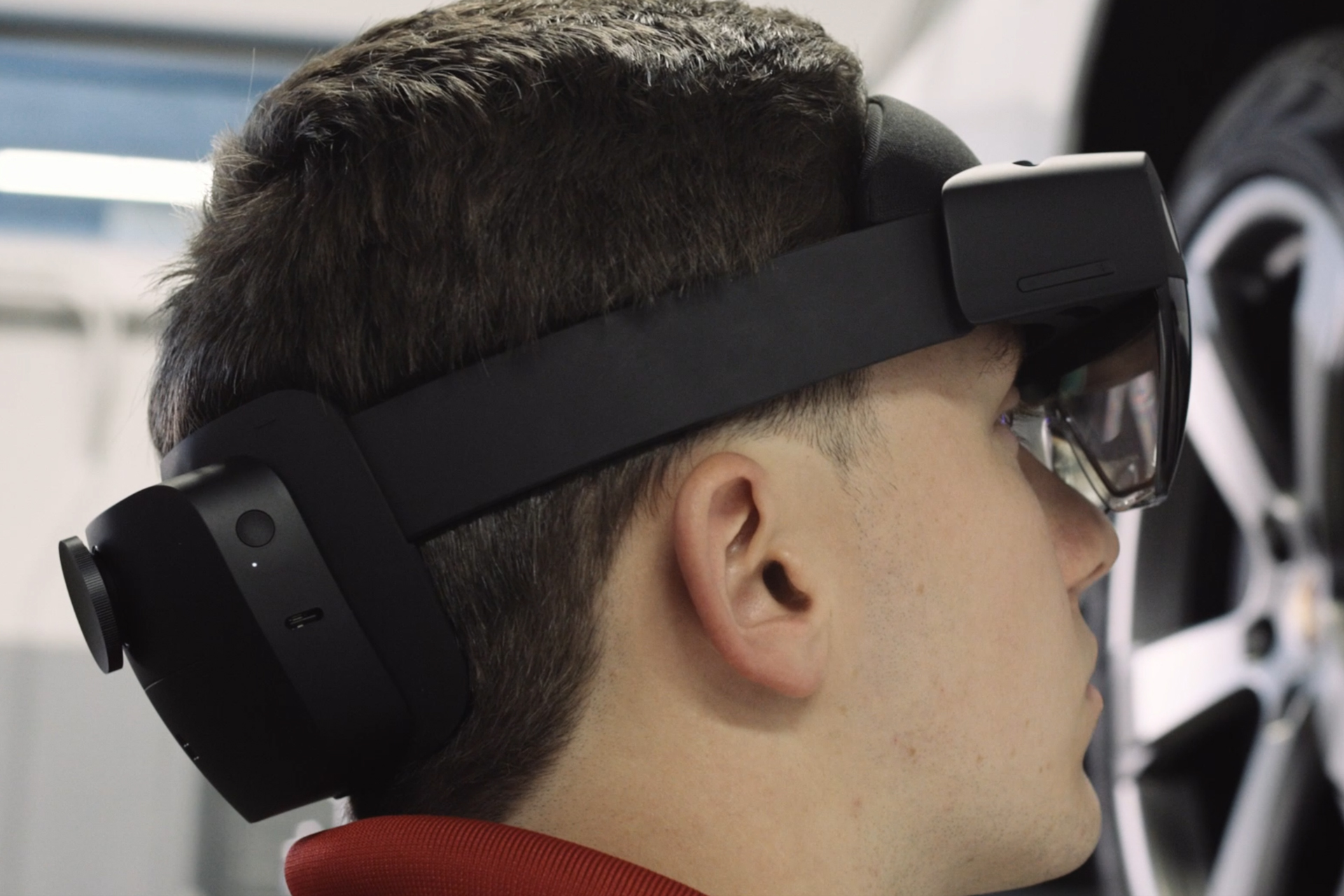 We’re excited to roll out these new features to our mixed reality product portfolio. We look forward to continuing to innovate in both hardware and software to deliver immersive experiences that empower organizations and improve productivity, collaboration and customer experiences.
 Yoga Slim 7[/caption]
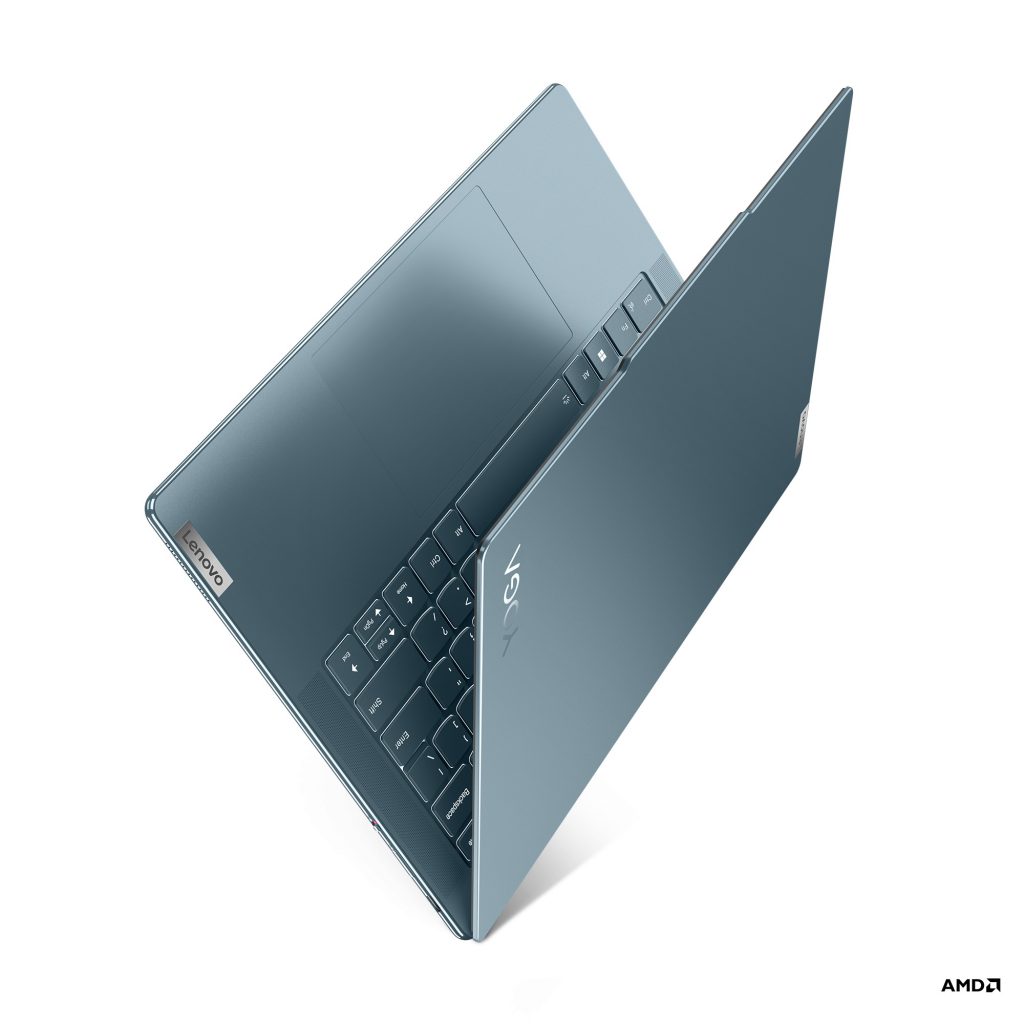
At just 0.5 inches, Yoga Slim 7 is easy to carry around and work on in tight spaces. A newly designed keyboard and larger touchpad make working more comfortable and efficient, while the latest generation AMD Ryzen 7000 series processors and a higher capacity 70Whr battery help power whatever tasks need tackling. Level up with a Rapid Charge option to recharge for three more hours of use in just 15 minutes. The 14.5-inch up to 3K PureSight OLED display, which includes TÜV Hardware Blue Light Eyesafe Certification, and six speakers with two back-to-back subwoofers make hours-long workstreams, meetings and downtime entertainment easier on the eyes and ears.
The Yoga Slim 7 will start at 1499 € inc. VAT and is expected to be available in Europe, the Middle East and Africa starting in June.
Yoga Slim 7[/caption]
At just 0.5 inches, Yoga Slim 7 is easy to carry around and work on in tight spaces. A newly designed keyboard and larger touchpad make working more comfortable and efficient, while the latest generation AMD Ryzen 7000 series processors and a higher capacity 70Whr battery help power whatever tasks need tackling. Level up with a Rapid Charge option to recharge for three more hours of use in just 15 minutes. The 14.5-inch up to 3K PureSight OLED display, which includes TÜV Hardware Blue Light Eyesafe Certification, and six speakers with two back-to-back subwoofers make hours-long workstreams, meetings and downtime entertainment easier on the eyes and ears.
The Yoga Slim 7 will start at 1499 € inc. VAT and is expected to be available in Europe, the Middle East and Africa starting in June.
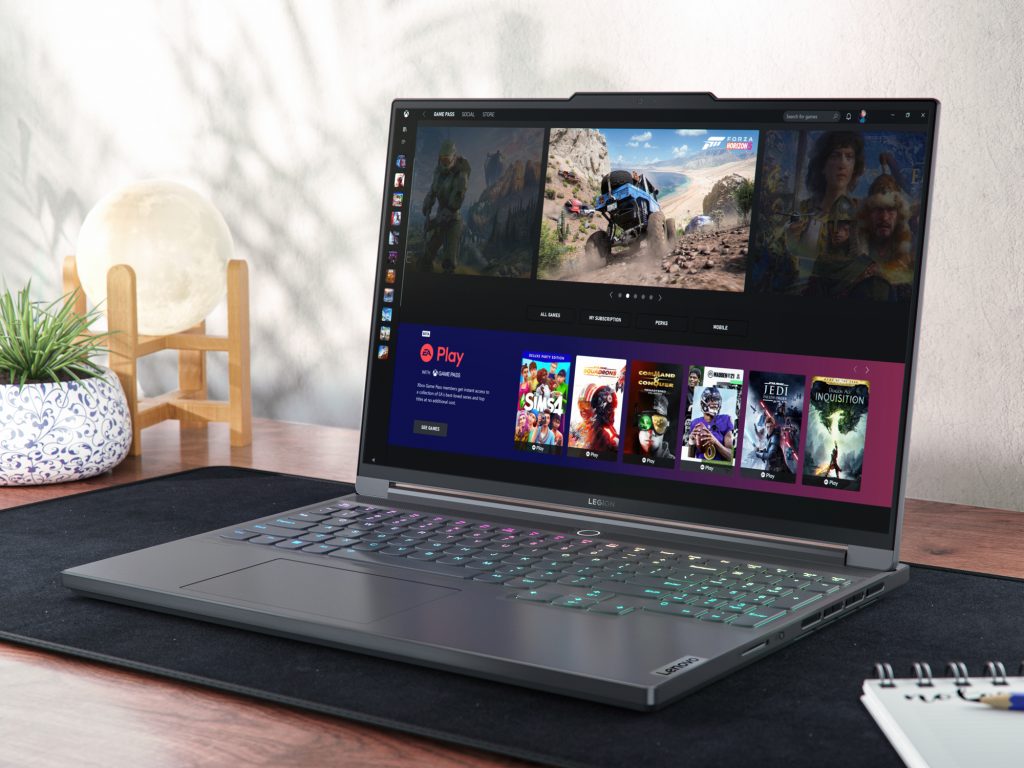 Lenovo Legion Slim 7i[/caption]
The Lenovo Legion Slim 7i is available with up to a 13th Gen Intel Core i9-13900H processor, up to NVIDIA GeForce RTX 4070 (115W) graphics and up to 32GB of 5600MHz DDR5 RAM that bring virtual worlds to crisp, vibrant life on the 16-inch 16:10 Lenovo PureSight gaming display. Those who value speedy response times in their gaming sessions will appreciate up to a WQXGA 240Hz VRR 500nit panel, while creators who require the highest resolutions and color gamut for their workflows will value a 3.2K 165Hz VRR 430nit with 100% DCI-P3 panel and Lenovo PureSight gaming display options. The Legion Slim 7i will start at $1769.99 and is expected to be available in April.
The Lenovo Legion Slim 5i is a new addition to the Legion portfolio. Available with a 16-inch screen as well as an upcoming 14-inch screen with OLED panel to be released later in the year, all Lenovo Legion Slim 5i laptops are available with up to a 13th Gen Intel Core i7-13700H processor and up to an NVIDIA GeForce RTX 4070 Laptop GPU. Legion ColdFront 5.0 keeps gaming sessions cool and quiet while helping to prevent throttling, with its larger hybrid copper heat pipes and fins, phase change thermal compound, increased air intakes and exhaust, as well as a turbocharged 12V dual liquid polymer fan system. An up to 80Wh battery can deliver up to eight hours of battery life and supports Super Rapid Charge so you can be out and about for the day without the charging brick. The 16-inch Legion Slim 5i will start at $1349.99 and is expected to be available in April.
Find out more about these and other Lenovo Legion PCs at
Lenovo Legion Slim 7i[/caption]
The Lenovo Legion Slim 7i is available with up to a 13th Gen Intel Core i9-13900H processor, up to NVIDIA GeForce RTX 4070 (115W) graphics and up to 32GB of 5600MHz DDR5 RAM that bring virtual worlds to crisp, vibrant life on the 16-inch 16:10 Lenovo PureSight gaming display. Those who value speedy response times in their gaming sessions will appreciate up to a WQXGA 240Hz VRR 500nit panel, while creators who require the highest resolutions and color gamut for their workflows will value a 3.2K 165Hz VRR 430nit with 100% DCI-P3 panel and Lenovo PureSight gaming display options. The Legion Slim 7i will start at $1769.99 and is expected to be available in April.
The Lenovo Legion Slim 5i is a new addition to the Legion portfolio. Available with a 16-inch screen as well as an upcoming 14-inch screen with OLED panel to be released later in the year, all Lenovo Legion Slim 5i laptops are available with up to a 13th Gen Intel Core i7-13700H processor and up to an NVIDIA GeForce RTX 4070 Laptop GPU. Legion ColdFront 5.0 keeps gaming sessions cool and quiet while helping to prevent throttling, with its larger hybrid copper heat pipes and fins, phase change thermal compound, increased air intakes and exhaust, as well as a turbocharged 12V dual liquid polymer fan system. An up to 80Wh battery can deliver up to eight hours of battery life and supports Super Rapid Charge so you can be out and about for the day without the charging brick. The 16-inch Legion Slim 5i will start at $1349.99 and is expected to be available in April.
Find out more about these and other Lenovo Legion PCs at 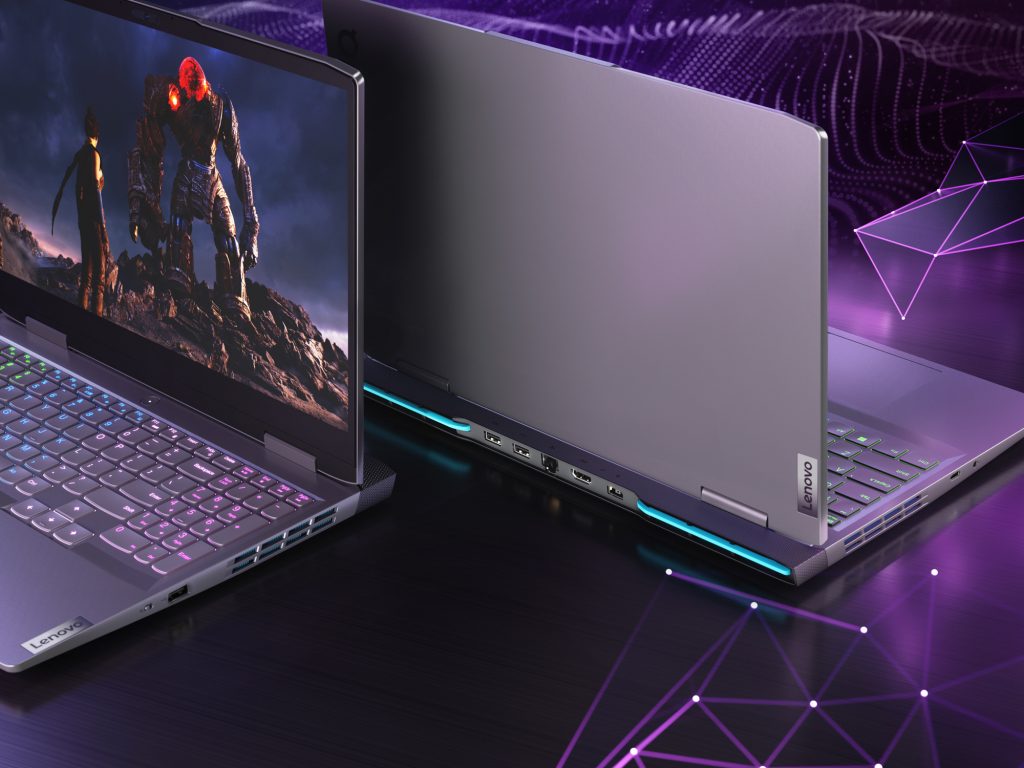 LOQ 15IRH8[/caption]
Lenovo also revealed a new lineup of PCs for beginning gamers: the LOQ sub-brand of gaming laptops and towers. The LOQ 15IRH8 laptop has many similarities to its Legion siblings, including Windows 11 pre-installed, three free months of Xbox Game Pass Ultimate and the Lenovo LA AI Chip, which powers Lenovo AI Engine+. Users can configure it with 13th Gen Intel Core processors (available starting in April) or AMD Ryzen 7000 series CPU (available starting in May). Every LOQ gaming laptop supports up to NVDIA GeForce RTX 4060 Laptop GPUs. It starts at $899.99.
Head over to
LOQ 15IRH8[/caption]
Lenovo also revealed a new lineup of PCs for beginning gamers: the LOQ sub-brand of gaming laptops and towers. The LOQ 15IRH8 laptop has many similarities to its Legion siblings, including Windows 11 pre-installed, three free months of Xbox Game Pass Ultimate and the Lenovo LA AI Chip, which powers Lenovo AI Engine+. Users can configure it with 13th Gen Intel Core processors (available starting in April) or AMD Ryzen 7000 series CPU (available starting in May). Every LOQ gaming laptop supports up to NVDIA GeForce RTX 4060 Laptop GPUs. It starts at $899.99.
Head over to 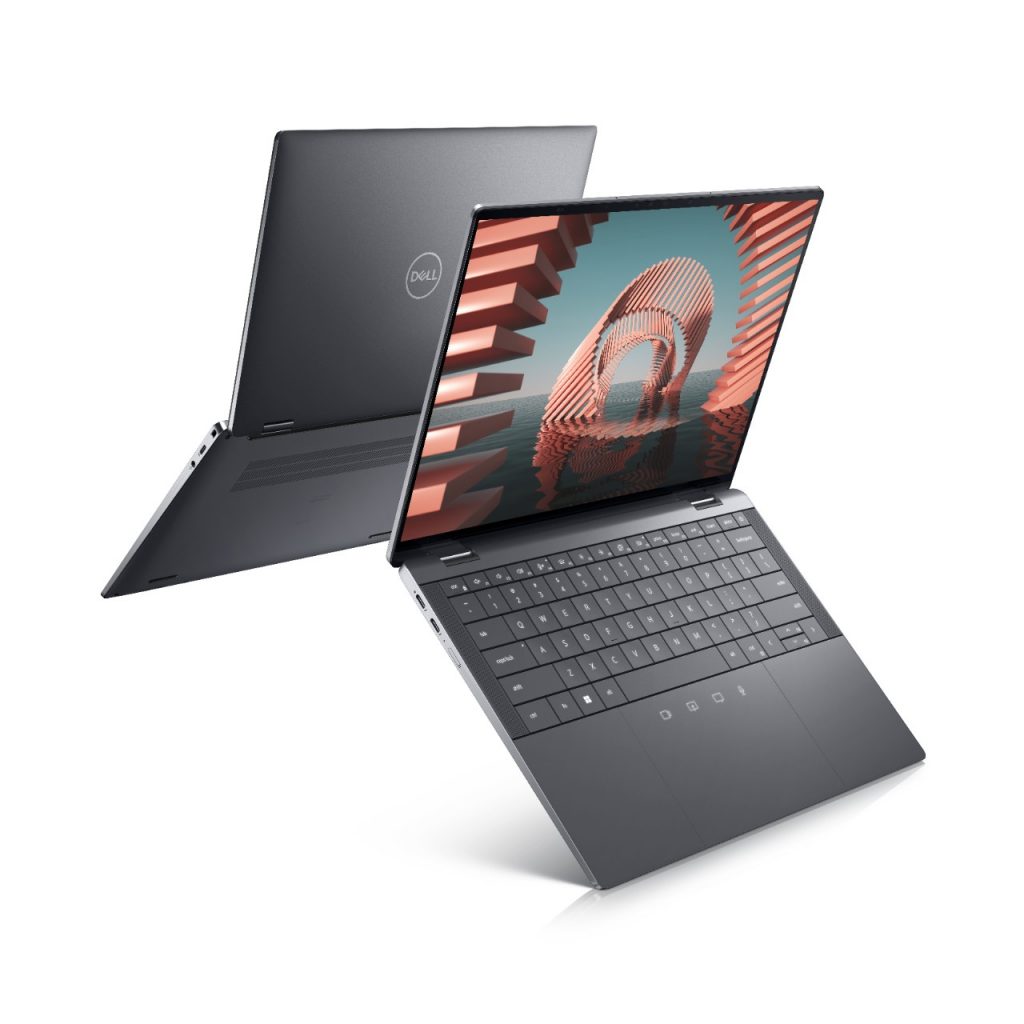 Latitude 9440[/caption]
New design choices aim to give the business user a comfortable all-day typing experience. The Latitude 9440’s keyboard includes wider keys with no gap (also known as zero-lattice), and increased angles between keys and curvature on each key for easy tactile separation. Dell’s new mini-LED backlit keyboard technology reduces backlit keyboard power usage by up to 75% and increases battery life by up to three hours. Images are also sharper and more immersive on the Latitude 9440, which fits a 14-inch display into a 13-inch chassis with a 16:10 aspect ratio and InfinityEdge QHD+.
The new Latitude 7000 series with Windows 11 features Ultralights and aluminum options in a variety of sizes and form factors for the diverse needs of the mobile professional. It includes 16:10 aspect ratio and the same micro-LED battery saving keyboard as the 9440.
The Latitude 7340/7440 Ultralights, available now, deliver productivity in a thin form factor for maximum mobility – the kind of PC you can easily pop into a bag as you move between meetings. Weighing under 2.5 pounds for the 13-inch version and slightly over that for the 14-inch version and made with magnesium, the devices are light yet extremely durable. Dell also added a 5MP camera and 5G for better collaboration. The new “river” color, a blue/gray blend, offers a premium and modern look.
[caption id="attachment_178189" align="alignnone" width="616"]
Latitude 9440[/caption]
New design choices aim to give the business user a comfortable all-day typing experience. The Latitude 9440’s keyboard includes wider keys with no gap (also known as zero-lattice), and increased angles between keys and curvature on each key for easy tactile separation. Dell’s new mini-LED backlit keyboard technology reduces backlit keyboard power usage by up to 75% and increases battery life by up to three hours. Images are also sharper and more immersive on the Latitude 9440, which fits a 14-inch display into a 13-inch chassis with a 16:10 aspect ratio and InfinityEdge QHD+.
The new Latitude 7000 series with Windows 11 features Ultralights and aluminum options in a variety of sizes and form factors for the diverse needs of the mobile professional. It includes 16:10 aspect ratio and the same micro-LED battery saving keyboard as the 9440.
The Latitude 7340/7440 Ultralights, available now, deliver productivity in a thin form factor for maximum mobility – the kind of PC you can easily pop into a bag as you move between meetings. Weighing under 2.5 pounds for the 13-inch version and slightly over that for the 14-inch version and made with magnesium, the devices are light yet extremely durable. Dell also added a 5MP camera and 5G for better collaboration. The new “river” color, a blue/gray blend, offers a premium and modern look.
[caption id="attachment_178189" align="alignnone" width="616"]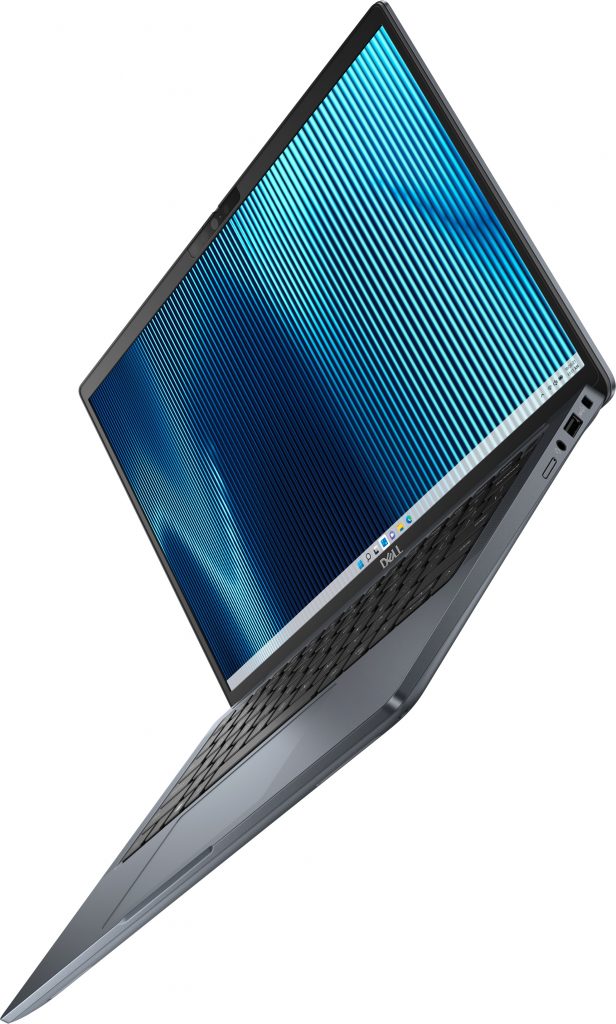 Latitude 7340 Ultralight[/caption]
Creators, designers, engineers and other power users prioritize performance and graphics capabilities to run data and graphic intensive applications and software whether they are in the office, studio or on the move. Dell’s Precision line aims to provide what they need, including the latest 13th Gen Intel Core processors.
Dell has added a 16-inch thin and light mobile workstation to its Precision line-up, the Precision 5680. This PC delivers even more power and immersive experiences for creators and engineers with up to Intel Core i9 (45W) and up to 64GB of DDR5 memory with the NVIDIA RTX 5000 Ada Generation Laptop GPU. It also has a crisp 16:10, three-sided InfinityEdge display, a haptic trackpad for quick and responsive feedback, four grade A audio speakers, up to UHD+ PremierColor display and an FHD IR camera with proximity and ambient light sensor – enabling secure login with Windows Hello.
[caption id="attachment_178191" align="alignnone" width="1024"]
Latitude 7340 Ultralight[/caption]
Creators, designers, engineers and other power users prioritize performance and graphics capabilities to run data and graphic intensive applications and software whether they are in the office, studio or on the move. Dell’s Precision line aims to provide what they need, including the latest 13th Gen Intel Core processors.
Dell has added a 16-inch thin and light mobile workstation to its Precision line-up, the Precision 5680. This PC delivers even more power and immersive experiences for creators and engineers with up to Intel Core i9 (45W) and up to 64GB of DDR5 memory with the NVIDIA RTX 5000 Ada Generation Laptop GPU. It also has a crisp 16:10, three-sided InfinityEdge display, a haptic trackpad for quick and responsive feedback, four grade A audio speakers, up to UHD+ PremierColor display and an FHD IR camera with proximity and ambient light sensor – enabling secure login with Windows Hello.
[caption id="attachment_178191" align="alignnone" width="1024"]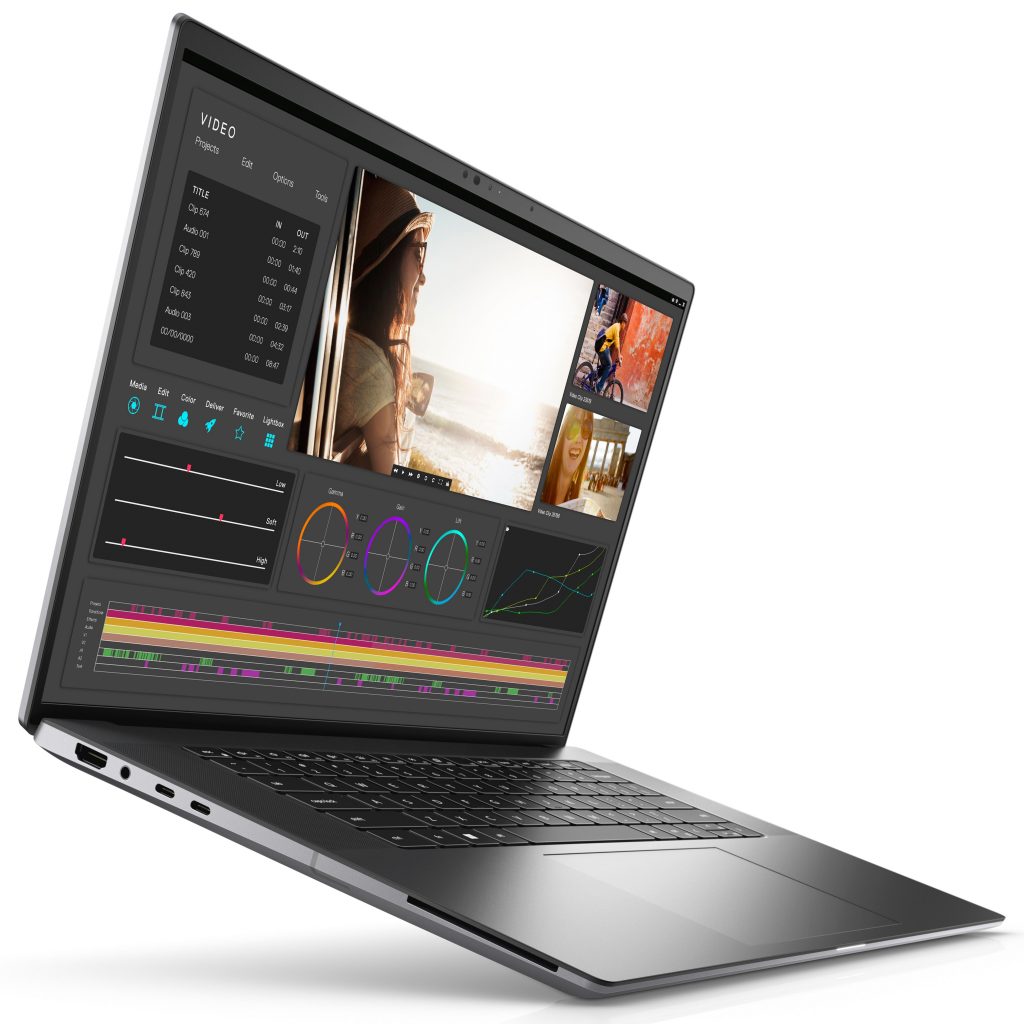 Precision 5680[/caption]
With discrete graphics providing a whole lot of power, cooling is a must for the Precision 5680. Dell added its patented Dual Opposite Outlet fan technology so the system can handle complex workflows and intensive applications. With an HDMI port, a full-size SD card slot and an optional smart card reader, creators and engineers have the reliable and secure tools to perform. Plus, more power comes through a universal USB-C connector, using the innovative extended power range (EPR) technology. Dell has also introduced recycled copper in the Latitude 9440 and Precision 5680’s power adapters.
The Precision 5680 is Dell’s first Precision mobile workstation with low carbon and recycled aluminum, and the Latitude 9440 also includes low carbon and recycled aluminum in the chassis. The full Latitude and Precision portfolios continue to ship with 100% recycled or renewable packaging.
The Precision 5680 is expected to be available May 18.
Precision 5680[/caption]
With discrete graphics providing a whole lot of power, cooling is a must for the Precision 5680. Dell added its patented Dual Opposite Outlet fan technology so the system can handle complex workflows and intensive applications. With an HDMI port, a full-size SD card slot and an optional smart card reader, creators and engineers have the reliable and secure tools to perform. Plus, more power comes through a universal USB-C connector, using the innovative extended power range (EPR) technology. Dell has also introduced recycled copper in the Latitude 9440 and Precision 5680’s power adapters.
The Precision 5680 is Dell’s first Precision mobile workstation with low carbon and recycled aluminum, and the Latitude 9440 also includes low carbon and recycled aluminum in the chassis. The full Latitude and Precision portfolios continue to ship with 100% recycled or renewable packaging.
The Precision 5680 is expected to be available May 18.
 This year, Intel’s expansive commercial portfolio will deliver more than 170 notebooks, desktops and entry workstations from partners including Acer, ASUS, Dell, HP, Lenovo, Fujitsu, Panasonic and Samsung.
Modern business computing is further optimized through Intel vPro devices thanks to Intel Wi-Fi 6E (Gig+), Thunderbolt 4 and the validation of the Intel Evo platform with experiences like intelligent collaboration.
For edge application developers,
This year, Intel’s expansive commercial portfolio will deliver more than 170 notebooks, desktops and entry workstations from partners including Acer, ASUS, Dell, HP, Lenovo, Fujitsu, Panasonic and Samsung.
Modern business computing is further optimized through Intel vPro devices thanks to Intel Wi-Fi 6E (Gig+), Thunderbolt 4 and the validation of the Intel Evo platform with experiences like intelligent collaboration.
For edge application developers, 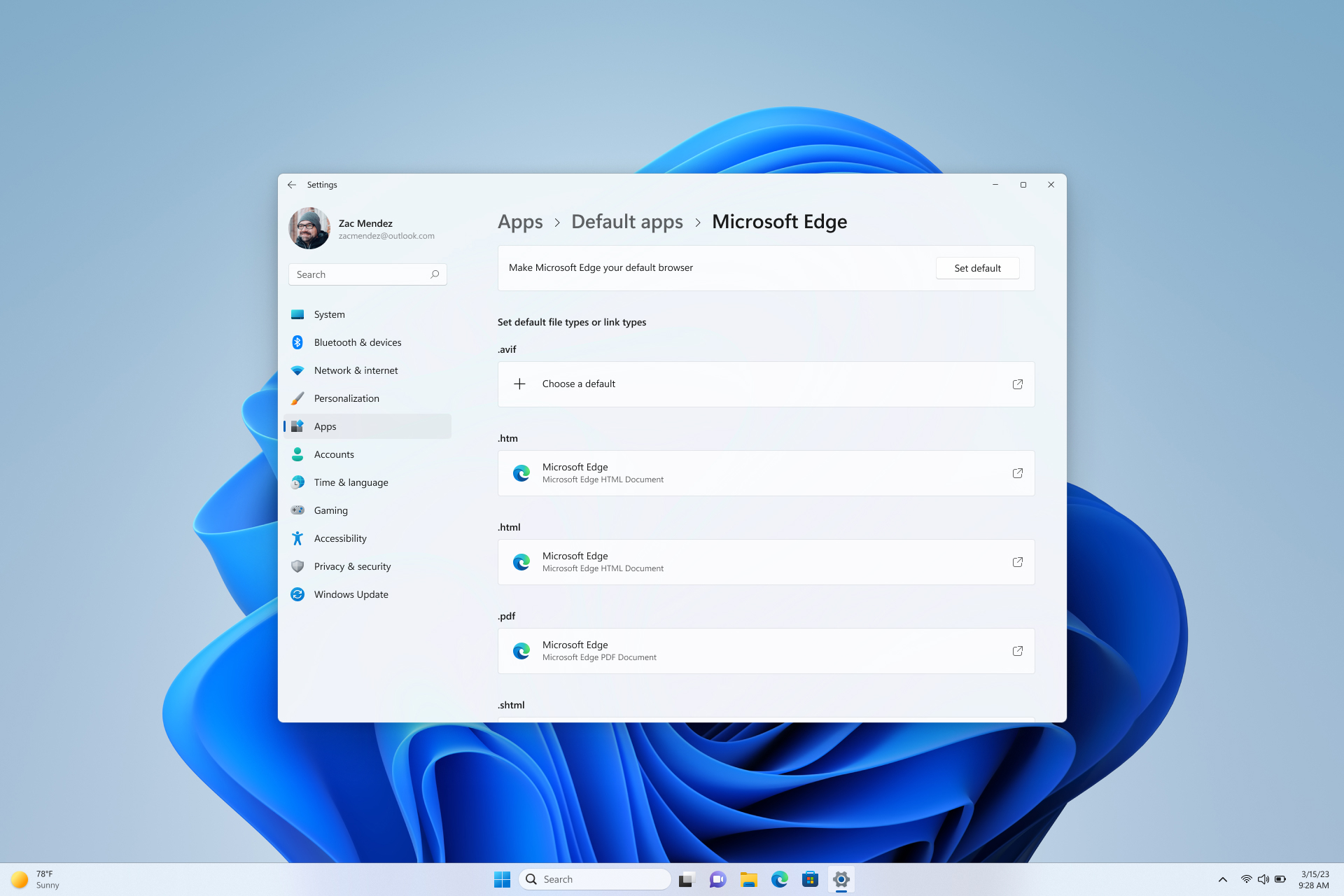 An example Settings page where the new deep link URI will land a user if called by an application such as the Microsoft Edge browser.
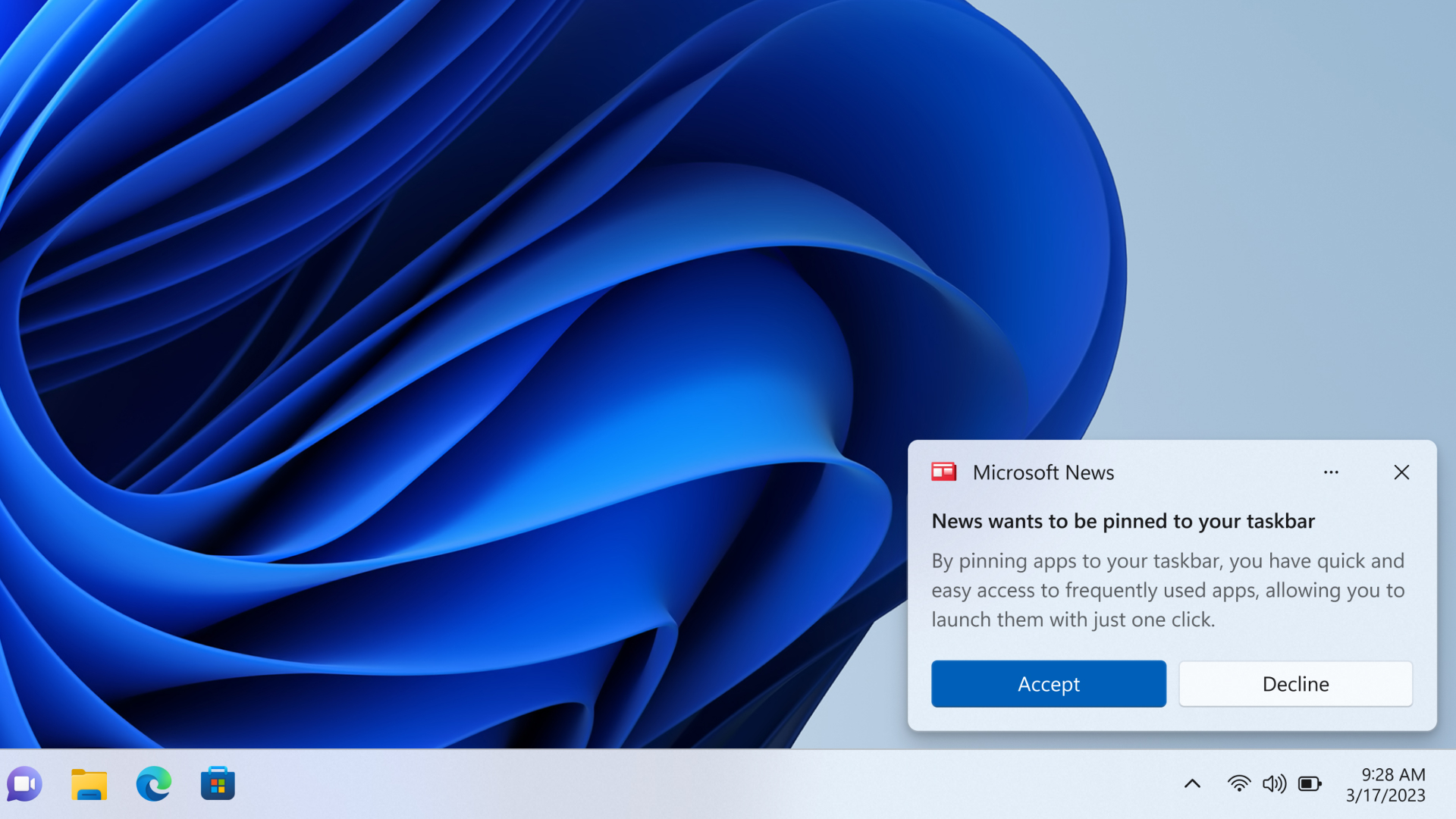 Conceptual UX for pinning confirmation when called by an application. (Not final Experience.)
We will launch these new features first in a Windows Insider Dev Channel flight in the coming months.
Conceptual UX for pinning confirmation when called by an application. (Not final Experience.)
We will launch these new features first in a Windows Insider Dev Channel flight in the coming months. 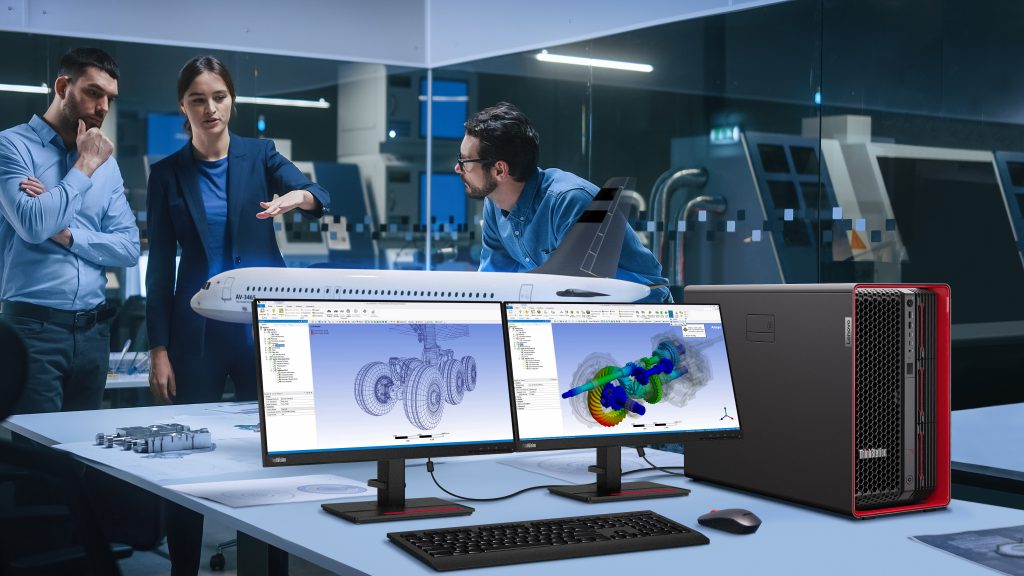 ThinkStation PX[/caption]
These workstations include Windows 11, which introduced a
ThinkStation PX[/caption]
These workstations include Windows 11, which introduced a 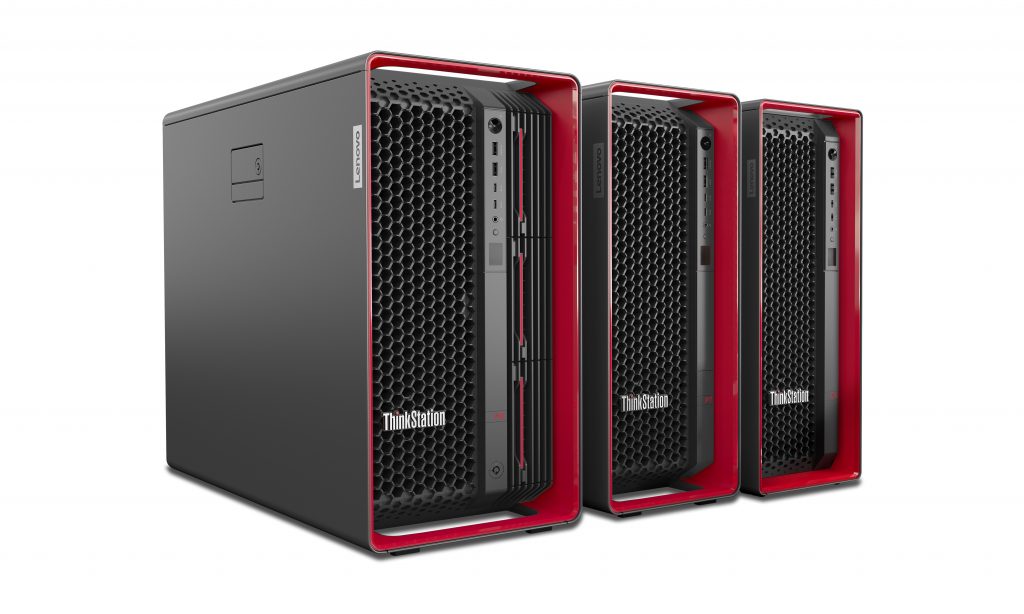 ThinkStation PX, P7 and P5[/caption]
The ThinkStation PX is the highest end of these workstations, a flagship with support for more cores and expandability than previous generations of Lenovo workstations. The ThinkStation P7 aims to exceed the most rigorous performance and reliability challenges of workloads that typically relied on servers or cloud resources in the past, such as automotive styling, computational fluid dynamics and complex video production and rendering. Finally, Lenovo has engineered the ThinkStation P5 for compute-intensive tasks such as complex 3D CAD, reality capture and geospatial visualization – workflows familiar to architects, engineers and designers.
[caption id="attachment_178166" align="alignnone" width="1024"]
ThinkStation PX, P7 and P5[/caption]
The ThinkStation PX is the highest end of these workstations, a flagship with support for more cores and expandability than previous generations of Lenovo workstations. The ThinkStation P7 aims to exceed the most rigorous performance and reliability challenges of workloads that typically relied on servers or cloud resources in the past, such as automotive styling, computational fluid dynamics and complex video production and rendering. Finally, Lenovo has engineered the ThinkStation P5 for compute-intensive tasks such as complex 3D CAD, reality capture and geospatial visualization – workflows familiar to architects, engineers and designers.
[caption id="attachment_178166" align="alignnone" width="1024"]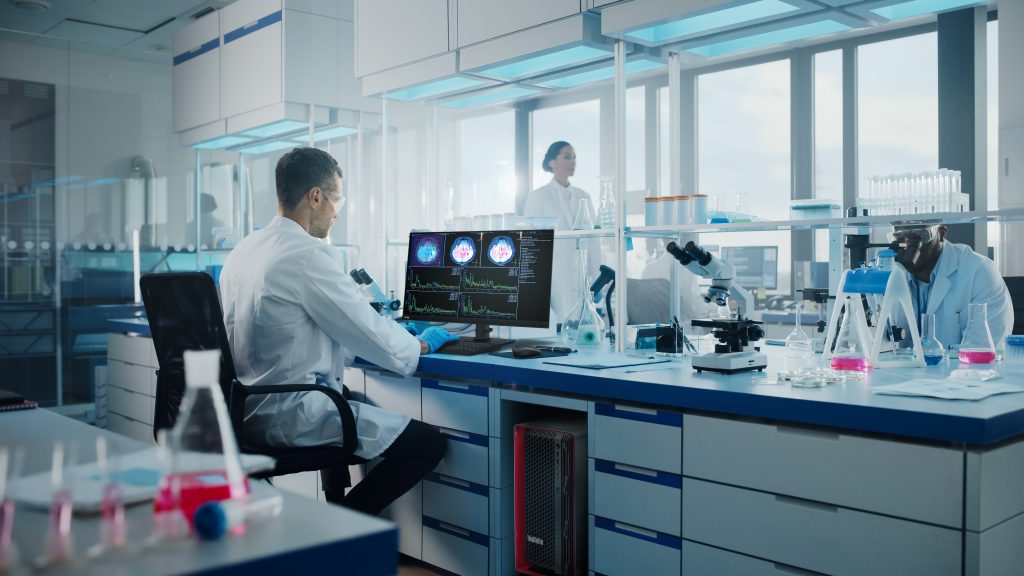 ThinkStation PX[/caption]
They’re expected to be available starting in May. Go to
ThinkStation PX[/caption]
They’re expected to be available starting in May. Go to 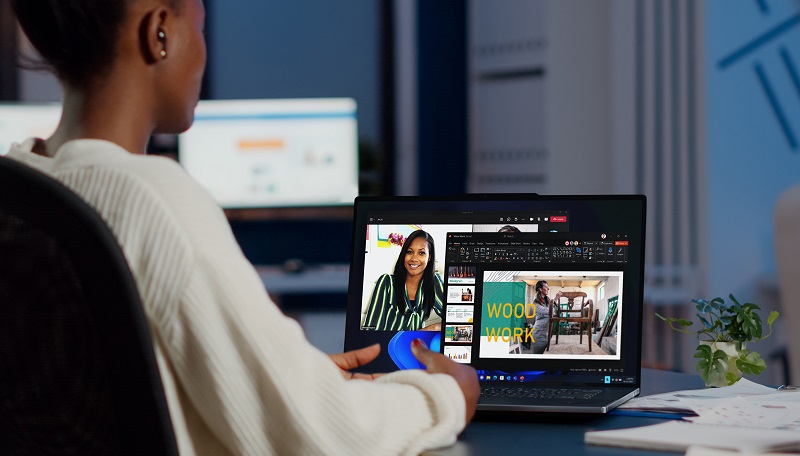 ThinkPad Z16[/caption]
A large haptic touchpad sits alongside the iconic TrackPoint. Double tapping the latter opens a TrackPoint Quick Menu which displays four menu cards. These menu cards can now be customized from a list of options, including camera and microphone functionality as well as select battery settings and preferred audio device settings – such as Bluetooth or built-in speakers. When you’re on video calls, you can count on fast and reliable Wi-Fi 6E, an FHD camera and Dolby Voice enabled microphones.
The redesigned ThinkPad X13 Gen 4 and ThinkPad X13 Yoga Gen 4 adopt sleeker and narrow bezels that increase the screen-to-body ratio. Dolby Audio speakers are now user facing for more immersive audio. For even better collaboration settings, you can add a new optional 5-megapixel with Infrared camera and/or a new 13.3-inch 2.8K OLED display that is Dolby Vision enabled and features Eyesafe Certified Natural Low Blue Light technology (to help reduce eye strain).
[caption id="attachment_178135" align="alignnone" width="1024"]
ThinkPad Z16[/caption]
A large haptic touchpad sits alongside the iconic TrackPoint. Double tapping the latter opens a TrackPoint Quick Menu which displays four menu cards. These menu cards can now be customized from a list of options, including camera and microphone functionality as well as select battery settings and preferred audio device settings – such as Bluetooth or built-in speakers. When you’re on video calls, you can count on fast and reliable Wi-Fi 6E, an FHD camera and Dolby Voice enabled microphones.
The redesigned ThinkPad X13 Gen 4 and ThinkPad X13 Yoga Gen 4 adopt sleeker and narrow bezels that increase the screen-to-body ratio. Dolby Audio speakers are now user facing for more immersive audio. For even better collaboration settings, you can add a new optional 5-megapixel with Infrared camera and/or a new 13.3-inch 2.8K OLED display that is Dolby Vision enabled and features Eyesafe Certified Natural Low Blue Light technology (to help reduce eye strain).
[caption id="attachment_178135" align="alignnone" width="1024"]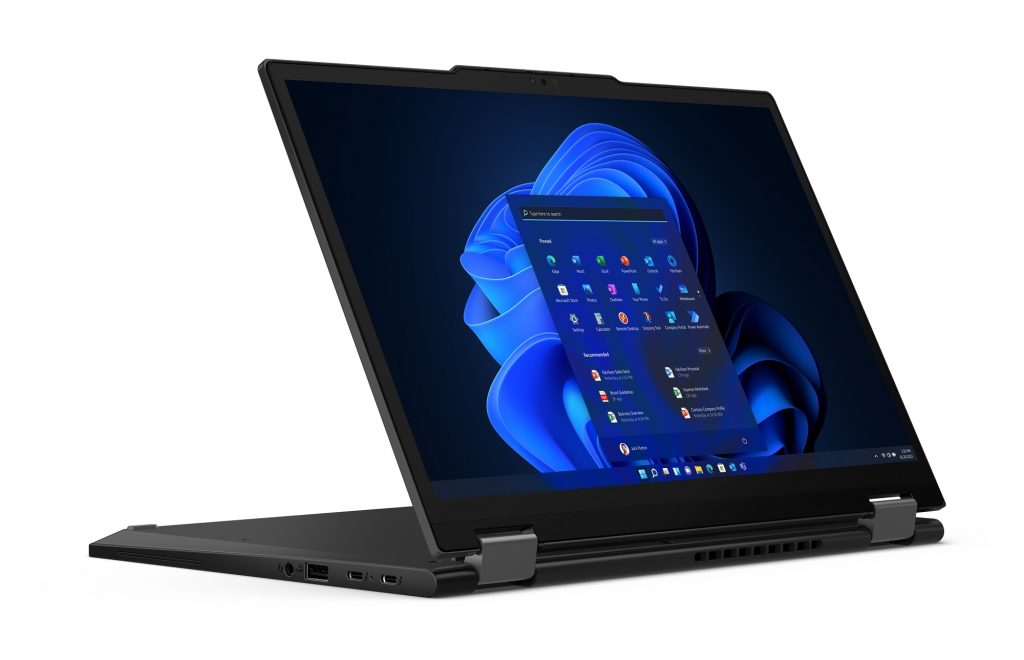 ThinkPad X13 Yoga[/caption]
To keep your Windows 11 PC safe, these laptops come with facial recognition through Windows Hello to enable quicker login. You can configure the ThinkPad X13 Gen 4 and X13 Yoga Gen 4 with up to Windows 11 Pro and the latest 13th generation Intel Core processors with Intel vPro and integrated Intel Iris Xe graphics. The X13 Gen 4 can also be configured with the latest AMD Ryzen 7000 Series Mobile Processors with integrated AMD Radeon Graphics.
ThinkPad X13 Yoga[/caption]
To keep your Windows 11 PC safe, these laptops come with facial recognition through Windows Hello to enable quicker login. You can configure the ThinkPad X13 Gen 4 and X13 Yoga Gen 4 with up to Windows 11 Pro and the latest 13th generation Intel Core processors with Intel vPro and integrated Intel Iris Xe graphics. The X13 Gen 4 can also be configured with the latest AMD Ryzen 7000 Series Mobile Processors with integrated AMD Radeon Graphics.
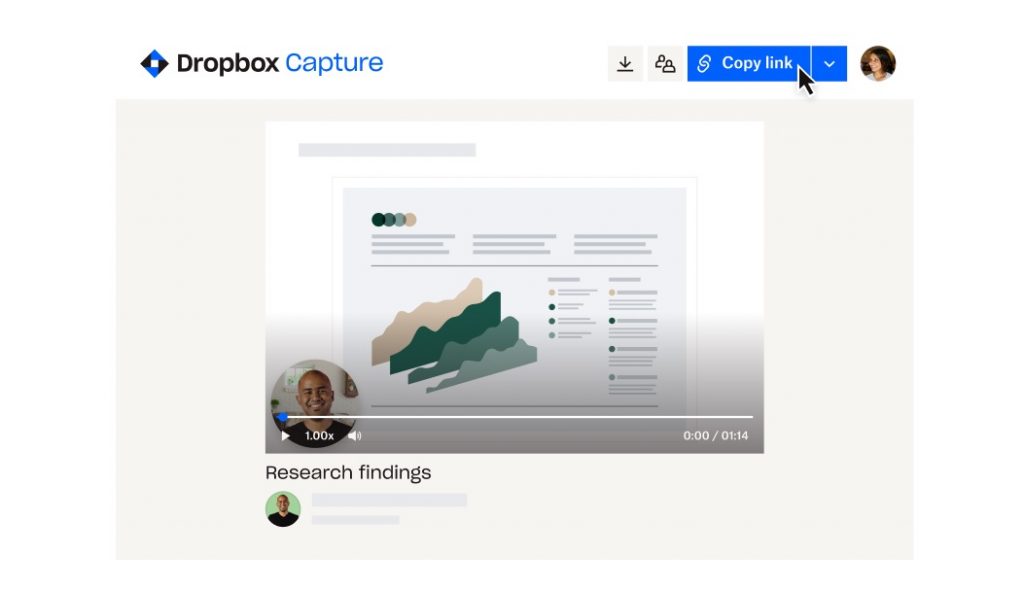 Screenshot showing how Dropbox Capture shares links for collaboration.[/caption]
He also feels Capture works well in terms of accessibility, in that users can personalize the kinds of messages they want to send, in the way that they communicate best. For Nielson, who grew up learning sign language with deaf siblings, it gives him another way to communicate in a visual language.
The idea for Capture came through observing customer feedback on Twitter about storing screenshots in Dropbox, which led to a deeper dive into customers’ needs. That led to developing Capture to include storing and sharing screen, video and audio recordings.
“Since day one, we wanted Capture to serve as an all-in-one visual communication tool and saw the huge potential for it to change the way people collaborate, especially remotely,” said Youcef Es-skouri, head of product management for Dropbox Capture.
https://youtu.be/mSw7aUnphjs
The initial concept for Capture came from Dropbox’s annual Hackathon in summer of 2020. After the idea was born, Es-skouri took the lead on the project, seeing it through from its initial announcement to wide availability last year.
He and engineers on his team worked specifically with Windows because that’s where most of their customers work.
“We all have PCs, we all try to use them as much as possible and we really try to put ourselves in the shoes of our customers,” he says. “We've always tried to be Windows first because we know that this is where our customers are. Windows is super critical for us and honestly it has been quite a smooth ride for us with all the documentation and libraries that are available.”
Es-skouri also says the variety of devices in the Windows ecosystem is an advantage with Capture, which they’ve designed to work well with touchscreens/tablets and other inputs in addition to standard keyboards.
[caption id="attachment_178123" align="alignnone" width="1024"]
Screenshot showing how Dropbox Capture shares links for collaboration.[/caption]
He also feels Capture works well in terms of accessibility, in that users can personalize the kinds of messages they want to send, in the way that they communicate best. For Nielson, who grew up learning sign language with deaf siblings, it gives him another way to communicate in a visual language.
The idea for Capture came through observing customer feedback on Twitter about storing screenshots in Dropbox, which led to a deeper dive into customers’ needs. That led to developing Capture to include storing and sharing screen, video and audio recordings.
“Since day one, we wanted Capture to serve as an all-in-one visual communication tool and saw the huge potential for it to change the way people collaborate, especially remotely,” said Youcef Es-skouri, head of product management for Dropbox Capture.
https://youtu.be/mSw7aUnphjs
The initial concept for Capture came from Dropbox’s annual Hackathon in summer of 2020. After the idea was born, Es-skouri took the lead on the project, seeing it through from its initial announcement to wide availability last year.
He and engineers on his team worked specifically with Windows because that’s where most of their customers work.
“We all have PCs, we all try to use them as much as possible and we really try to put ourselves in the shoes of our customers,” he says. “We've always tried to be Windows first because we know that this is where our customers are. Windows is super critical for us and honestly it has been quite a smooth ride for us with all the documentation and libraries that are available.”
Es-skouri also says the variety of devices in the Windows ecosystem is an advantage with Capture, which they’ve designed to work well with touchscreens/tablets and other inputs in addition to standard keyboards.
[caption id="attachment_178123" align="alignnone" width="1024"]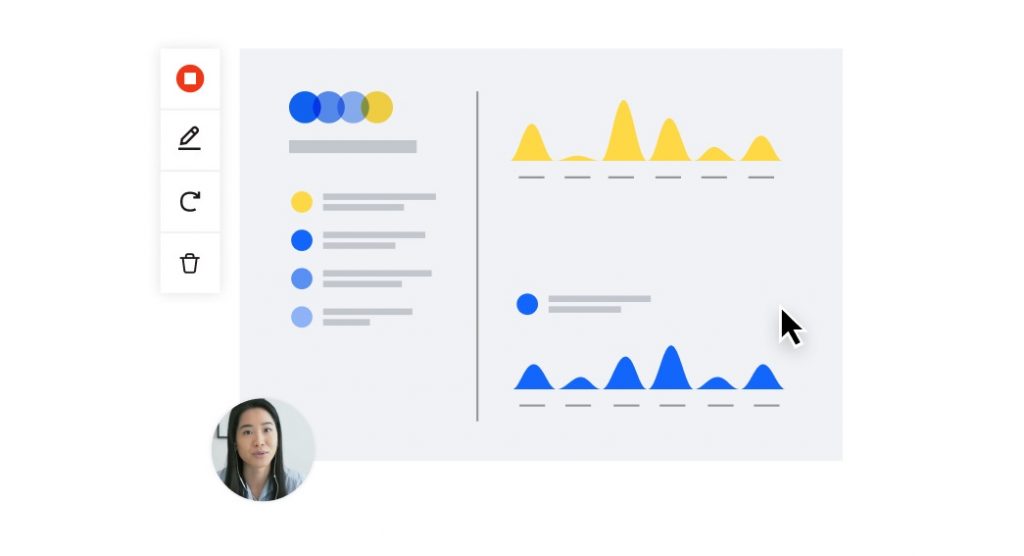 Screenshot of a screen recording with video in Dropbox Capture.[/caption]
Es-skouri says that the inclusion of screen recordings came naturally as a behavior that aligns with the ubiquity of screenshots. And acknowledging that not everyone is comfortable being on-camera, Capture makes it easy to record voiceovers – a natural extension to how people have become used to recording voice memos on phone texts.
That flexibility in composing content is one of many reasons managers like Tyler Carey have embraced Capture. The chief revenue officer for the employee-owned Westchester Publishing Services based in Connecticut has been working at the company for eight years. Once a publisher’s manuscript is ready for copy editing or typesetting, Westchester will pick it up in Microsoft Word and create files for both printers and digital editions using Adobe InDesign. They create over 10,000 publications every year.
Carey oversees all sales and collaborates regularly with the company’s marketing team. Business partnerships also fall under his purview, as well as other revenue generating initiatives. His typical day includes working directly with key accounts, strategizing with Westchester’s sales team and forecasting revenue.
“We've been expanding our team during the pandemic. We went from an already somewhat distributed workforce to a very distributed workforce where we now have people in several different time zones on different teams collaborating,” he says. “So using Dropbox Capture lets us do kind of the things you might want to normally accomplish in meeting: get people together, look at a project, share a screen and try to solve a problem or collaborate on something.”
[caption id="attachment_178124" align="alignnone" width="1024"]
Screenshot of a screen recording with video in Dropbox Capture.[/caption]
Es-skouri says that the inclusion of screen recordings came naturally as a behavior that aligns with the ubiquity of screenshots. And acknowledging that not everyone is comfortable being on-camera, Capture makes it easy to record voiceovers – a natural extension to how people have become used to recording voice memos on phone texts.
That flexibility in composing content is one of many reasons managers like Tyler Carey have embraced Capture. The chief revenue officer for the employee-owned Westchester Publishing Services based in Connecticut has been working at the company for eight years. Once a publisher’s manuscript is ready for copy editing or typesetting, Westchester will pick it up in Microsoft Word and create files for both printers and digital editions using Adobe InDesign. They create over 10,000 publications every year.
Carey oversees all sales and collaborates regularly with the company’s marketing team. Business partnerships also fall under his purview, as well as other revenue generating initiatives. His typical day includes working directly with key accounts, strategizing with Westchester’s sales team and forecasting revenue.
“We've been expanding our team during the pandemic. We went from an already somewhat distributed workforce to a very distributed workforce where we now have people in several different time zones on different teams collaborating,” he says. “So using Dropbox Capture lets us do kind of the things you might want to normally accomplish in meeting: get people together, look at a project, share a screen and try to solve a problem or collaborate on something.”
[caption id="attachment_178124" align="alignnone" width="1024"]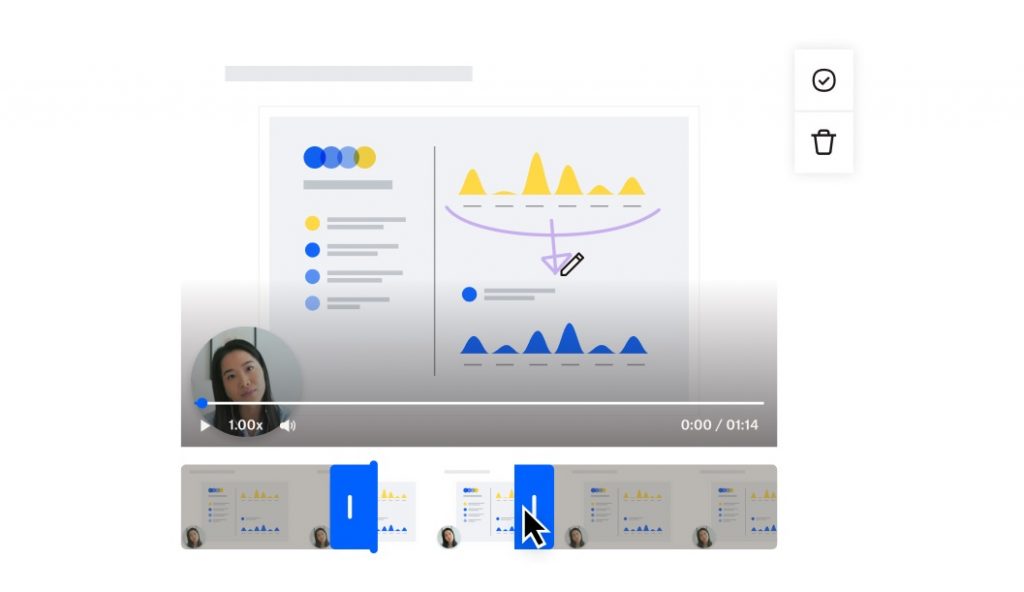 Screenshot in Dropbox Capture showing video trimming of a screen recording.[/caption]
Training is another area where Capture is proving to be useful, as Westchester is testing its use with sales documentation, so new hires can view 60-second videos rather than having to wade through hundreds of pages.
“We've already had some big wins, just making lives easier for the sales reps like that,” Carey says. “What's elegant about Dropbox Capture versus other tools is that it’s very lightweight. There's a lot less clicks and steps. When we had done training videos before, we would record them using an application, download them, trim out any errors and then we'd have to host them somewhere and send the link. Now it's all under one hood.”
Screenshot in Dropbox Capture showing video trimming of a screen recording.[/caption]
Training is another area where Capture is proving to be useful, as Westchester is testing its use with sales documentation, so new hires can view 60-second videos rather than having to wade through hundreds of pages.
“We've already had some big wins, just making lives easier for the sales reps like that,” Carey says. “What's elegant about Dropbox Capture versus other tools is that it’s very lightweight. There's a lot less clicks and steps. When we had done training videos before, we would record them using an application, download them, trim out any errors and then we'd have to host them somewhere and send the link. Now it's all under one hood.”
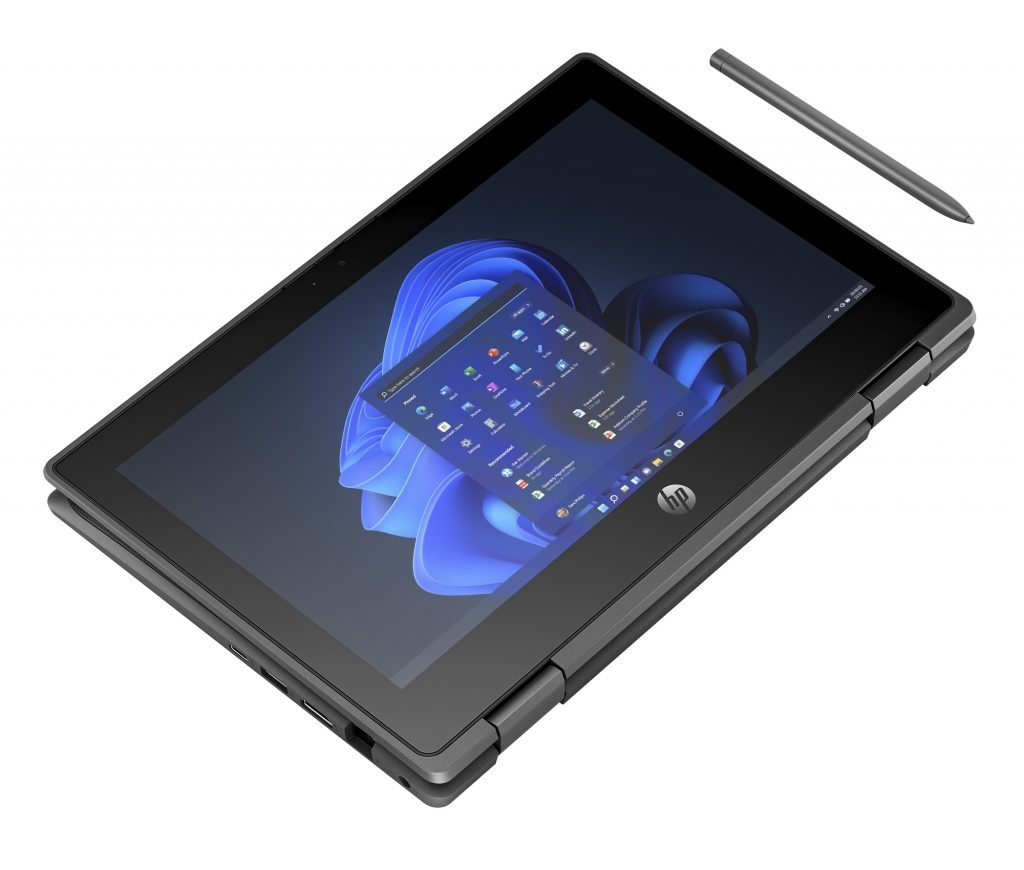 The HP Pro x360 Fortis 11-inch G11 Notebook PC comes with Intel N100 and N200 processors. To help you stay connected, even in crowded wireless networks, it also has an Intel Wi-Fi 6E WLAN module, which supports HP Extended Range Wireless LAN and Multiple-Input Multiple-Output, a wireless technology that uses multiple transmitters and receivers to enhance data transfer. (MIMO requires a MU-MIMO router, sold separately.)
Recognizing that working and learning on-the-go may result in accidental bumps and falls, this PC has gone through military-grade testing to withstand drops, dust and tumbles. It also features an enhanced anchored skirt keyboard that resists spills of up to 11.8 ounces.
The HP Pro x360 Fortis 11-inch G11 Notebook PC comes with Intel N100 and N200 processors. To help you stay connected, even in crowded wireless networks, it also has an Intel Wi-Fi 6E WLAN module, which supports HP Extended Range Wireless LAN and Multiple-Input Multiple-Output, a wireless technology that uses multiple transmitters and receivers to enhance data transfer. (MIMO requires a MU-MIMO router, sold separately.)
Recognizing that working and learning on-the-go may result in accidental bumps and falls, this PC has gone through military-grade testing to withstand drops, dust and tumbles. It also features an enhanced anchored skirt keyboard that resists spills of up to 11.8 ounces.
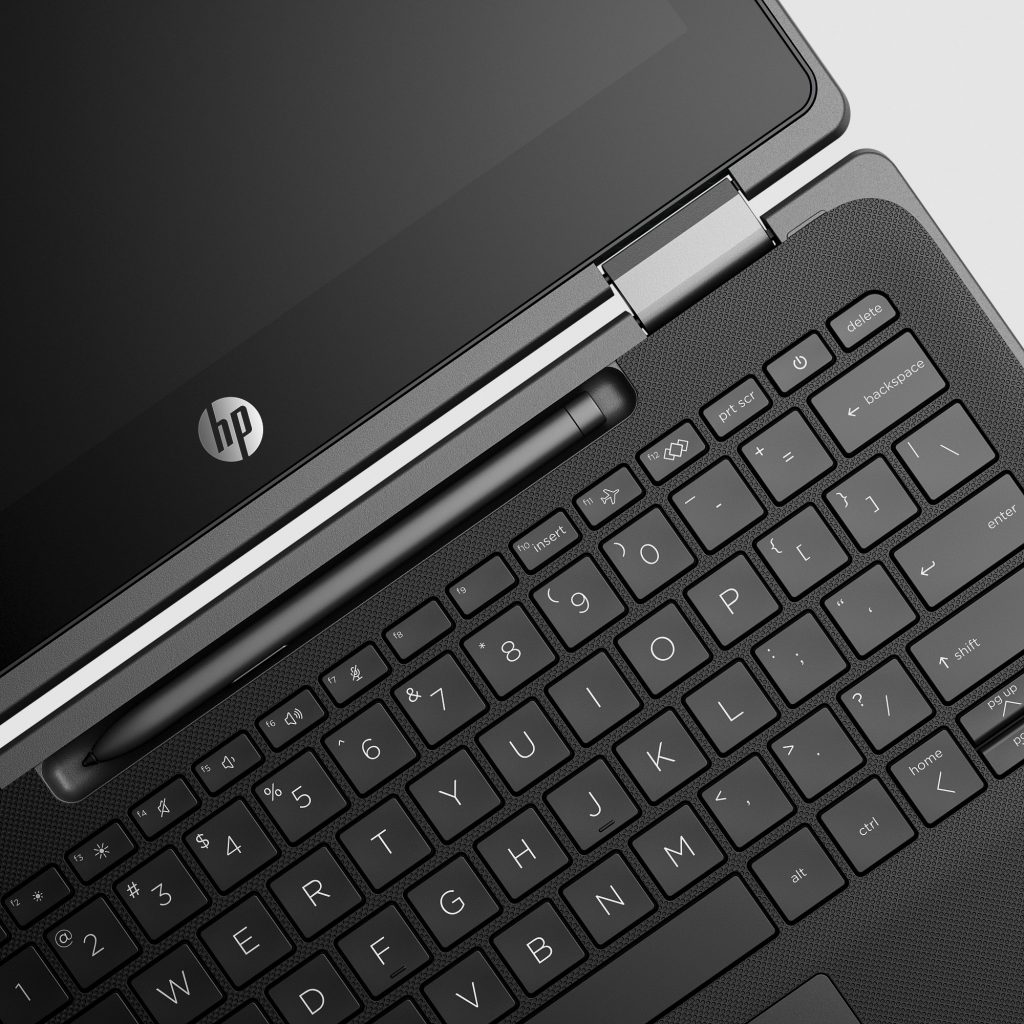 The PC also includes a 360-degree hinge and interactive touchscreen. Students and workers who prefer using a digital pen can add an optional HP Slim Rechargeable Pen to take notes, draw and edit.
Windows has been reimagined for a new era of
The PC also includes a 360-degree hinge and interactive touchscreen. Students and workers who prefer using a digital pen can add an optional HP Slim Rechargeable Pen to take notes, draw and edit.
Windows has been reimagined for a new era of 