We got an early Valentine’s Day gift this year-Yammer is getting a new name!
The change began last year when the Yammer Communities app in Microsoft Teams became Viva Engage. Now Microsoft is making it official. Over the coming year, all of Yammer will become Viva Engage and the Yammer brand will be retired.
Today the Microsoft product team announced a much anticipated and predicted change for Microsoft 365 and Microsoft Viva — Yammer is evolving to Viva Engage.
I can’t deny a twinge of sadness that it is time to farewell Yammer as a brand. I’ve been a Yammer user, community manager and advocate since the OG pre-Microsoft days. But for me, this is yet another positive step-change for collaboration, internal communication and community within the Microsoft 365 stack.
Unpacking the announcement
Pretty straight forward really. Key messages from the announcement:
Yammer will brand to Viva Engage
It will happen over a period of 12 months
New features and capabilities are coming
Existing customers continue under existing licencing
For Viva suite and Viva Topics customers there are several new features which will enhance existing networks and perhaps be the hero feature for a new network:
Storyline Announcements for leaders
Leadership Corner for employees
Ask Me Anything Events
#Campaigns
Advanced Analytics
Answers in Viva
Practical considerations
I enjoy a shiny new features as much as the next digital workplace nerd, but what does this mean in real terms. What advice would I give to practitioners deciding how to approach this change? The same (or at least similar) advice that I would give about introducing any new product or feature.
Take it back to basics
What problem are you trying to solve?
Who is going to drive an champion the change?
What processes and governance do you need to ensure ongoing success?
Where does Viva Engage sit in your overall digital workplace and employee experience strategy?
How will you prioritise and resources to support the change, and beyond?
Be purpose driven, not product driven.
Simple to write, takes work in practice.
Existing thriving networks: Take the opportunity to embrace new features and give your healthy network a boost with the new brand approach.
Existing unloved networks: Dust off that strategy, talk to your people, if there is a need to connect, communicate and collaborate a rebrand could be a nice catalyst for change
No current network: Step back and look at what your people need and then decide if Viva Engage is the right solution.
Community Management, Governance and Leadership are (still) key
Viva Engage offers more than the Yammer of long ago, but it is still at it’s core a community and collaboration tool. If you build it, they might come, but if you want them to stay there needs to be purpose, nurturing, rules and the strong presence of leadership.
Fortunately recent releases and improvements have made it easier to do a great job of this. If you’re having conversations about Viva Engage in your organisation you definitely want your Change Management team along side you, clear governance, capable Community Managers and strong Leaders who are equipped to leverage the power of Viva Engage.
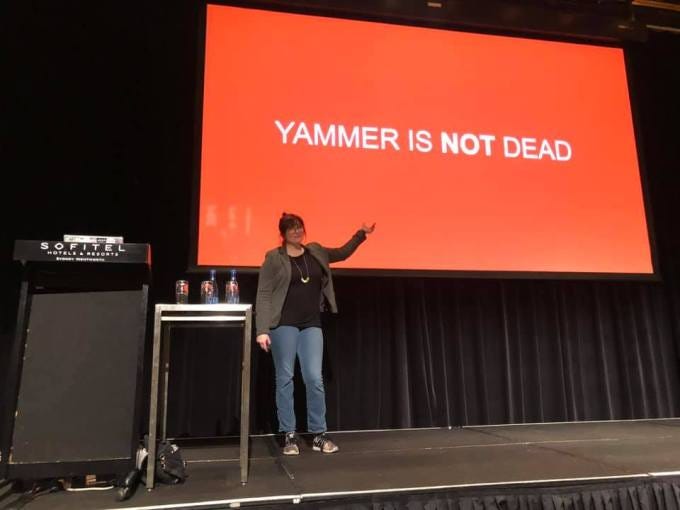
Yammer is not dead — it’s evolved
I feel pretty confident that I can retire my ‘Yammer is not dead’ slide, and perhaps I don’t need the Yammer Time Gif any more. But Yammer being dead or alive was never the point. The point is that it did, and Viva Engage does, provide an incredibly useful toolset that has a track record of delivering value for organisations who need to connect their people.
Time to retire the ‘Yammer is not dead’ slide.
References and perspectives
I’m keeping an eye out for resources from Microsoft and perspectives from people in the community. Here are a few I’ve already come across in the hours since the announcement.
Sign language interpreter video will be prioritized in Teams meetings, making them more visible and using higher quality video. PowerPoint Live in Teams will allow users to magnify slides in their personal experience of a meeting. Microsoft Viva admin becomes more organized but hasn’t yet got its own admin center. More on this week’s episode:
— Changes to navigation in Outlook for Android — MC450188 — Outlook for Windows: Cloud Signatures Coming Soon — MC450845 — Sign Language View — MC450498 — PowerPoint Live in Teams: Magnify Slide — MC452198 — New Viva admin experience in M365 Admin Center — MC452213 — Announcing the New Look of Office for the Web — MC452253 — Stories available for public preview in Yammer and Microsoft Viva Engage beginning early November — MC452234 — New home experience for Viva Connections desktop — MC447338
Join Daniel Glenn and Darrell as a Service Webster as they cover the latest messages in the Microsoft 365 Message Center.
Reminder: We have moved our YouTube channel! Our live streams have shifted to Youtube.com/365mcs Visit the new channel, subscribe and turn on notifications to keep tuning into the show.
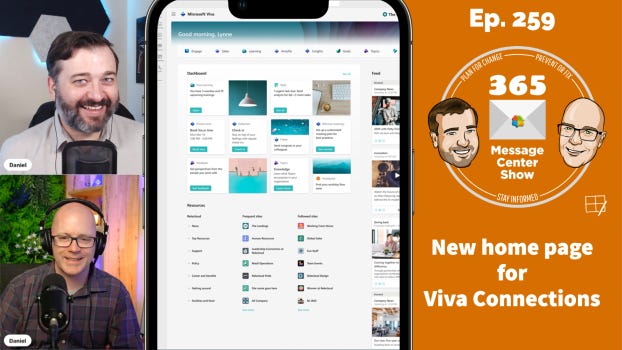
If your organization is using Viva Connections in Teams a new home experience will be arriving soon. The new landing page will show dashboard cards, news and communities feed, resources menu and frequent sites. If your org subscribes to other Viva apps, you can navigate to them from this new home experience. The question is, what happens to your existing home site? Find out on this episode.
It’s the week of Microsoft Ignite and we’re expecting plenty of announcements. Daniel and Darrell share their thoughts on this and more:
— Announcing de-duplication of contacts in Outlook Web — MC448368 — New home experience for Viva Connections desktop — MC447338 — New Teams Powered Encoder events — MC447685 — Microsoft Teams zero-install link unfurling — MC447686 — New praise compose experience in Teams and praise trends in Viva Insights — MC448356
Join Daniel Glenn and Darrell as a Service Webster as they cover the latest messages in the Microsoft 365 Message Center.

 Connexion